UNI now warns you. Once a pool drops to 20% or less, everyone who can spend it — the organization's owners, admins and curators — gets an email and a bell notification, and a second pair when the pool reaches zero. Each is sent once per pool per term. There is still no banner on the dashboard itself, so it is worth reading the balance before a cohort's deadline rather than during it.
Where the balance is
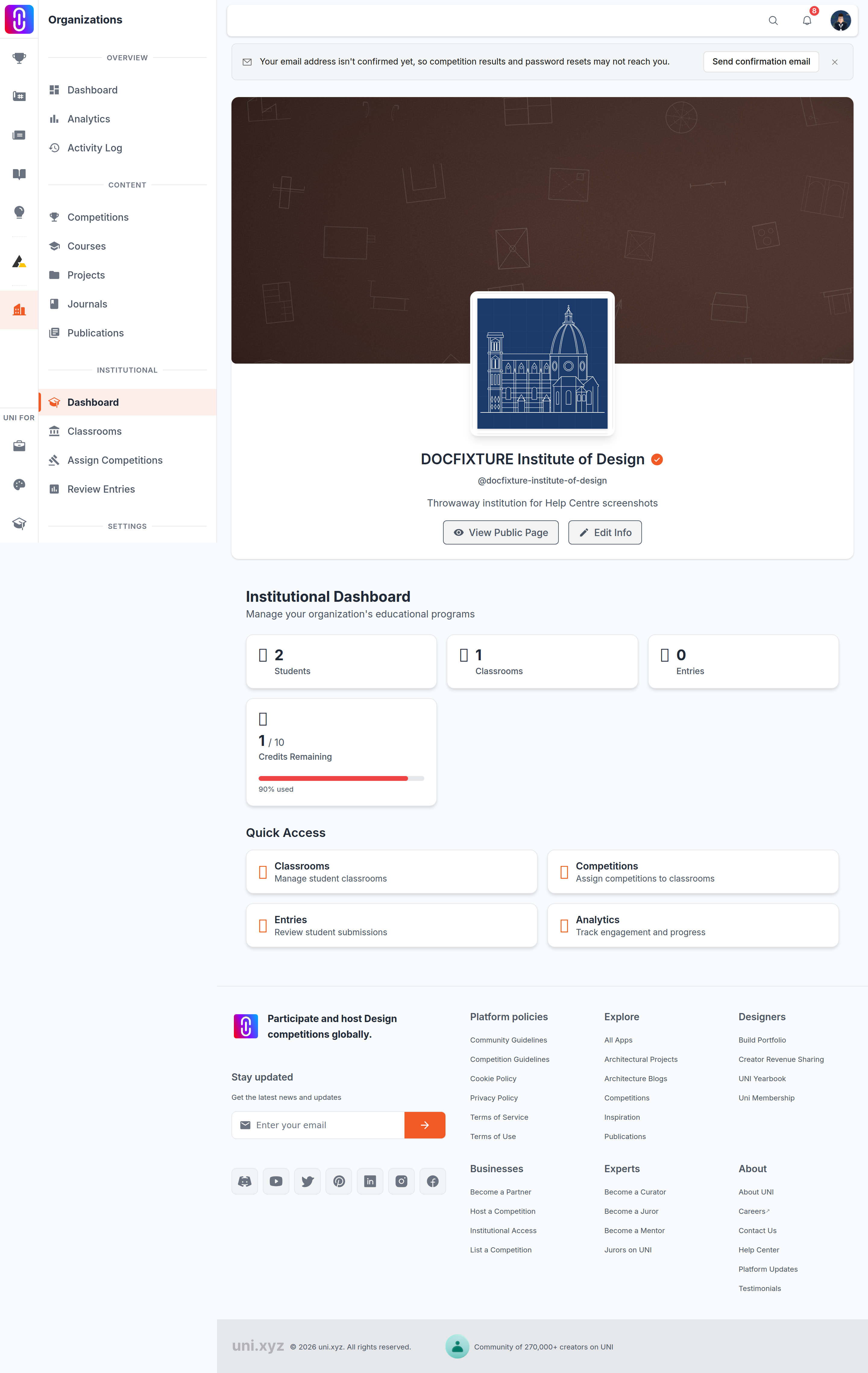
- Open your organization and go to its Institutional section, at
/organizations/manage/<your-organization>/institutional. - The credits card reads Credits Remaining, showing how many are left over the total your plans carry.
- You have to be an owner, an admin or a curator of the organization to see it. Students see their own view of the same pools under Assigned Competitions, which shows the entries left on each pool they can spend, so a student can tell before starting whether a credit is available.
- The figure is cached for five minutes. A credit spent a moment ago may not be reflected yet.
The gauge
The percentage under the gauge is the share of the pool that has been used — a pool nobody has touched reads 0%, and an exhausted one reads 100%. The bar turns amber at 75% used and red at 90%. If you want the raw counts instead, read the two numbers above the bar: remaining over total.
Each purchase is its own pool, and pools expire
Credits are not one running balance. Four different purchases each create their own pool, sized by what was bought:
| Purchase | Entries | Competition cap | Term |
|---|---|---|---|
| Institutional membership ($536.42, shop) | 12 | 3 | 1 year |
| Department Access pass | 12 | 3 | 1 semester |
| School Access pass | 40 | 6 | 1 year |
| University Access pass | 100 | unlimited | 1 year |
The pool an Institutional membership creates is sized at the entry-level tier, so it carries the same 3-competition cap as a Department pass. The 12 entries included on the membership itself, which the buyer registers from their own profile, are not capped that way.
A pool is only created when the buyer is an owner or admin of the organization at the moment they pay — a curator or ordinary member buying gets no pool and no error. Reaching the competition cap blocks entering a new competition even with credits still unused; entering a competition the pass has already used is unaffected. Renewing, or buying a second pass, adds a new pool rather than topping up an old one — a pool's cap belongs to it alone, so two Department passes are 12 entries across 3 competitions, twice over, not 24 across 6.
- A pool stops counting the moment its plan's end date passes, whether or not its credits were used. Unused credits do not carry into the renewal.
- The card adds up every pool whose plan is still current, so it is the right number to read, but the total can fall on the day a plan lapses without anybody spending anything.
If the balance is not what you expected, or a purchase does not appear at all, write to UNI with the organization name. See Institutional Access plans.