Notifications are cleared by marking them read, and that is the only way to clear them. There is no delete button, notifications do not expire, and nothing is ever removed from the list. A notification you have read stays there, without the unread dot.
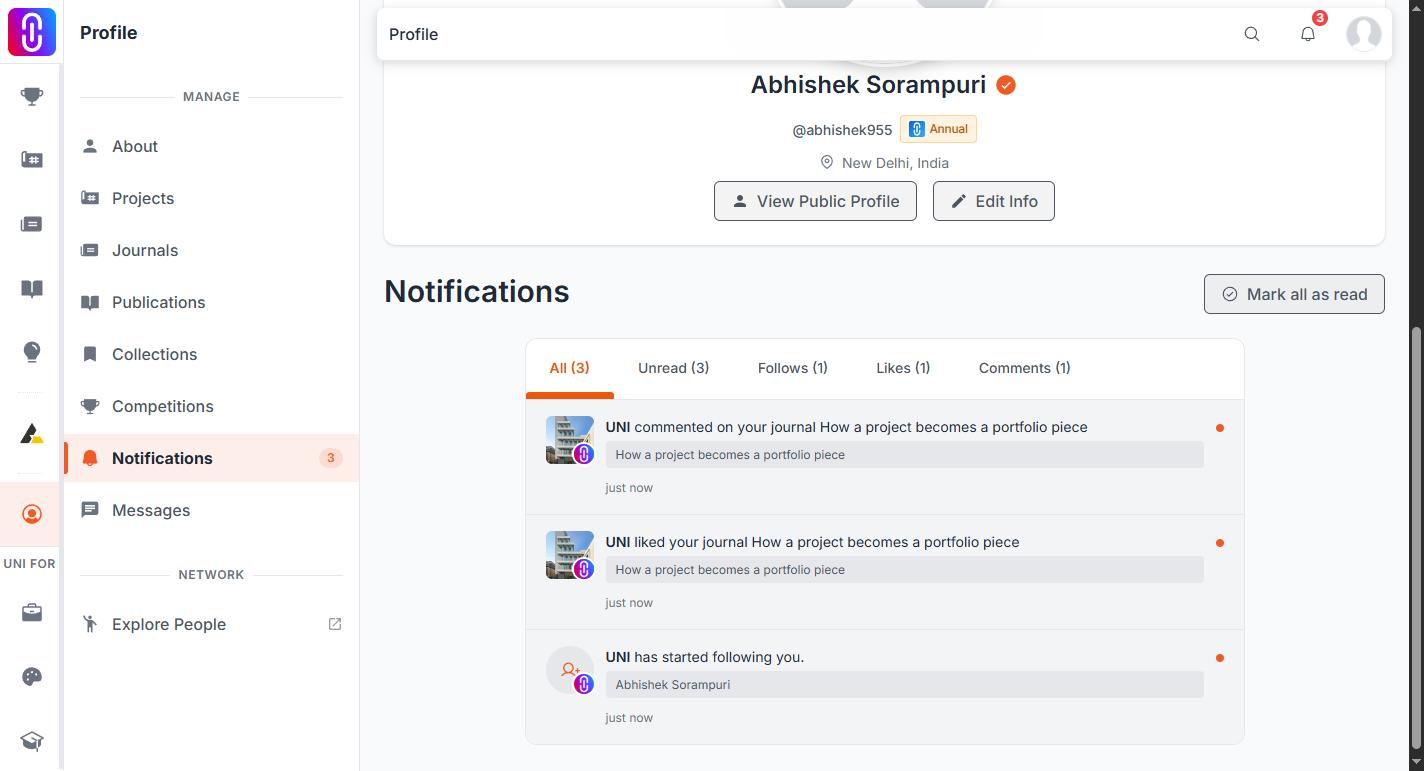
The same list appears in two places. The bell in the navbar shows it 20 at a time and loads more as you scroll. The link in the bell's header opens your full notifications page, which is the same list with filters across the top.
A notification is written when someone else acts on your work or your account
Your own actions never notify you. Everything in the list came from another member, or from the platform acting on your account. There are five groups.
- Someone acting on your work. A like, a rating, a bookmark, your work added to a collection, or a follow of you, your project, journal, publication, organization or discourse.
- Comments. A comment or reply on your project, journal, publication or discourse, and any comment anywhere that mentions your username.
- Competitions. Your entry submitted, approved or needing changes, a competition you entered going live, shortlists and results, a jury appointment, and your certificate being ready.
- Teams and organizations. Project invitations sent, received, accepted, declined or revoked, being added to or removed from a project or organization, and role changes.
- Your account. Membership and payment events, a username or primary email change, editorial action on your journal or publication, and reports you filed or that were filed on your work.
The filters read the wording, not a stored category
The tabs on the notifications page (Follows, Likes, Comments, Competitions, Ratings) are word matches against the sentence in each notification. Two are exceptions: Unread reads the read flag instead, and Other is whatever matched none of the five words. Nothing is tagged when it is created, so three things follow.
- A tab only appears if you have something in it. Tabs at zero are hidden. All is always shown.
- One notification can appear under two tabs. "Someone commented on the competition X" matches both Comments and Competitions, so the tab counts can add up to more than your total.
- Anything matching none of those words lands under Other. Payment, membership, account and report notifications match none of the five words, so they group under an Other tab rather than being findable only in All. Like the rest, it appears only once it has something in it.
Marking them read
Opening a notification marks it read and takes you to the thing it is about. Mark all as read clears every unread notification on your account at once, not only the ones in the tab you are looking at. It sits in the bell and on the full page.
The unread count on the bell is read once when the page loads and does not move on its own while the tab stays open. Reload the page to refresh it.
If you have allowed browser notifications, urgent items are pushed as they happen and the rest arrive as one daily summary. The list records everything either way.