Your organization's Competitions page has two sections and they are built from different things. Hosted lists competitions your organization is the organizer of. Participated lists competitions that people on your member list have entries in, whoever they entered as. The second section is why competitions you did not run appear on your page. Nothing has gone wrong, and the page is not claiming you ran them.
Hosted lists competitions the organization actually runs on UNI; competitions it merely lists (run elsewhere) appear under Listed
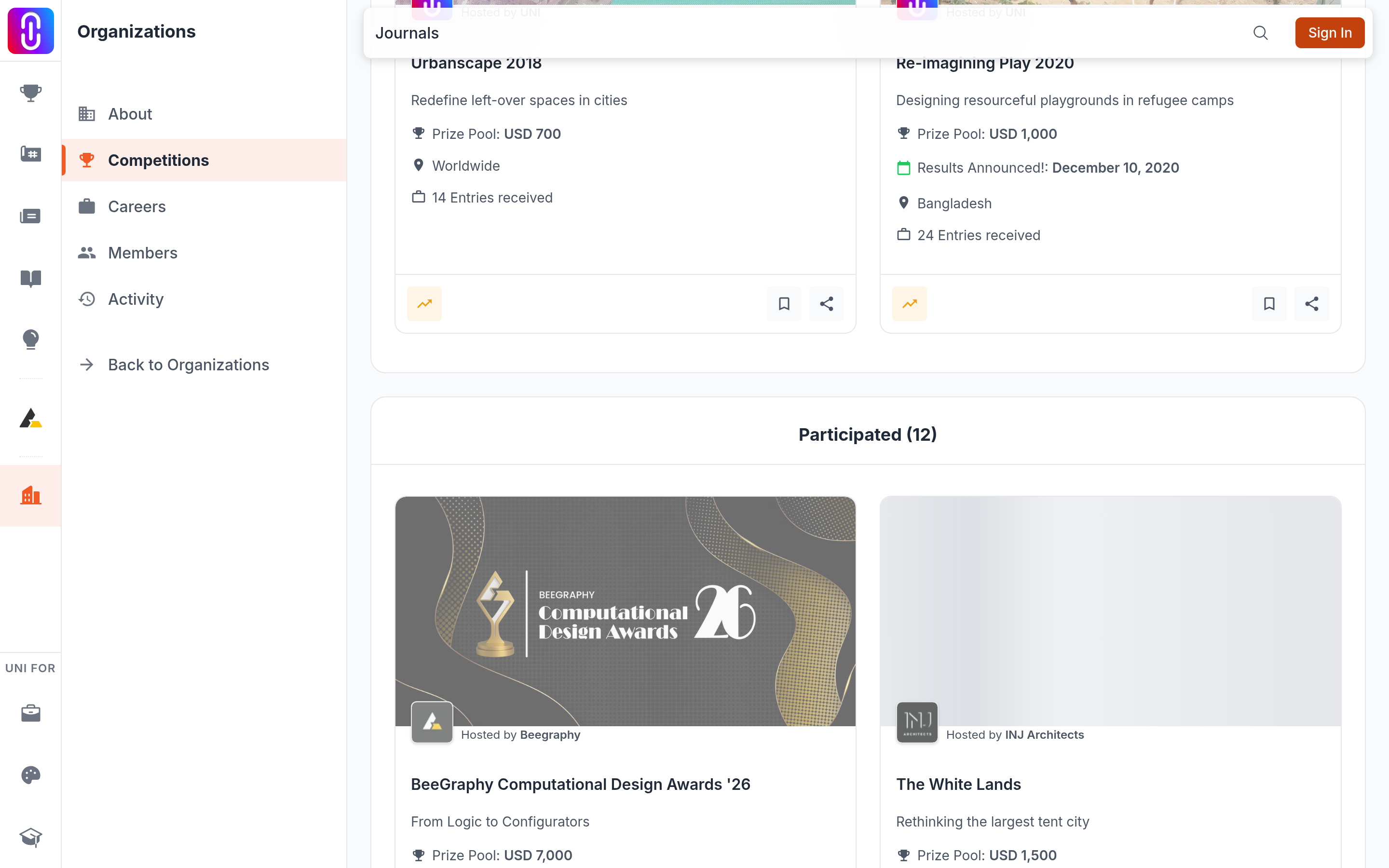
A competition sits under Hosted when your organization is set as its organizer, the competition is public, and UNI is actually running it (the hosted flag on the competition). If your organization is the organizer but the competition runs elsewhere and is only listed on UNI, it appears in a separate Listed section instead, matching the 'Listed by' text on its own card. See Listed competitions: what you can and cannot do on UNI. Drafts and competitions still in review are not on the public page. You manage those from your organization's own competitions screen, which only ever shows competitions you organize.
Participated is built from your member list
The rule is short: take everyone on your member list, take every competition entry those people own, drop the ones your organization hosted, and show the rest. Four things follow from that, and they are the parts that surprise people.
- An entry belongs to a person, not to an organization. A competition entry records the member who registered it. There is no field on an entry saying which organization it was made for, so nothing can separate an entry made on the organization's behalf from a purely personal one.
- It is retroactive. Add someone to your member list today and every competition they have ever entered joins the section straight away, including ones they entered years before they joined you.
- Registering is enough. An entry exists from the moment a registration is paid for, so a competition appears here even if that member never submitted a project to it.
- Alumni still count. Marking a member as alumni does not take their entries out of this section.
Because of the first point, a member who enters competitions in a personal capacity will still put those competitions on your page for as long as they are on your member list.
What you can change
The member list is the only lever. Removing someone from your organization removes their competitions from Participated at once. There is no way to hide a single competition from the section while keeping the member, and there is no way to turn the section off.
Two further limits are worth knowing. The section lists at most 50 competitions, and it does not load more as you scroll. The Competitions item in your organization's sidebar appears if there is anything in either section, so an organization that has never run a competition can still have the page.
If a competition you did run is missing
Check that your organization is set as the organizer on that competition and that it is published rather than in draft or review. A competition entered by your members but organized by someone else will only ever appear under Participated, never under Hosted.