The public Members page lists everyone who is currently a member, in whichever order you choose, and it carries nothing at all about roles. Owner, admin, curator and member are shown identically, because the page is built from the members' profiles rather than from the membership records that hold the roles.
What it shows
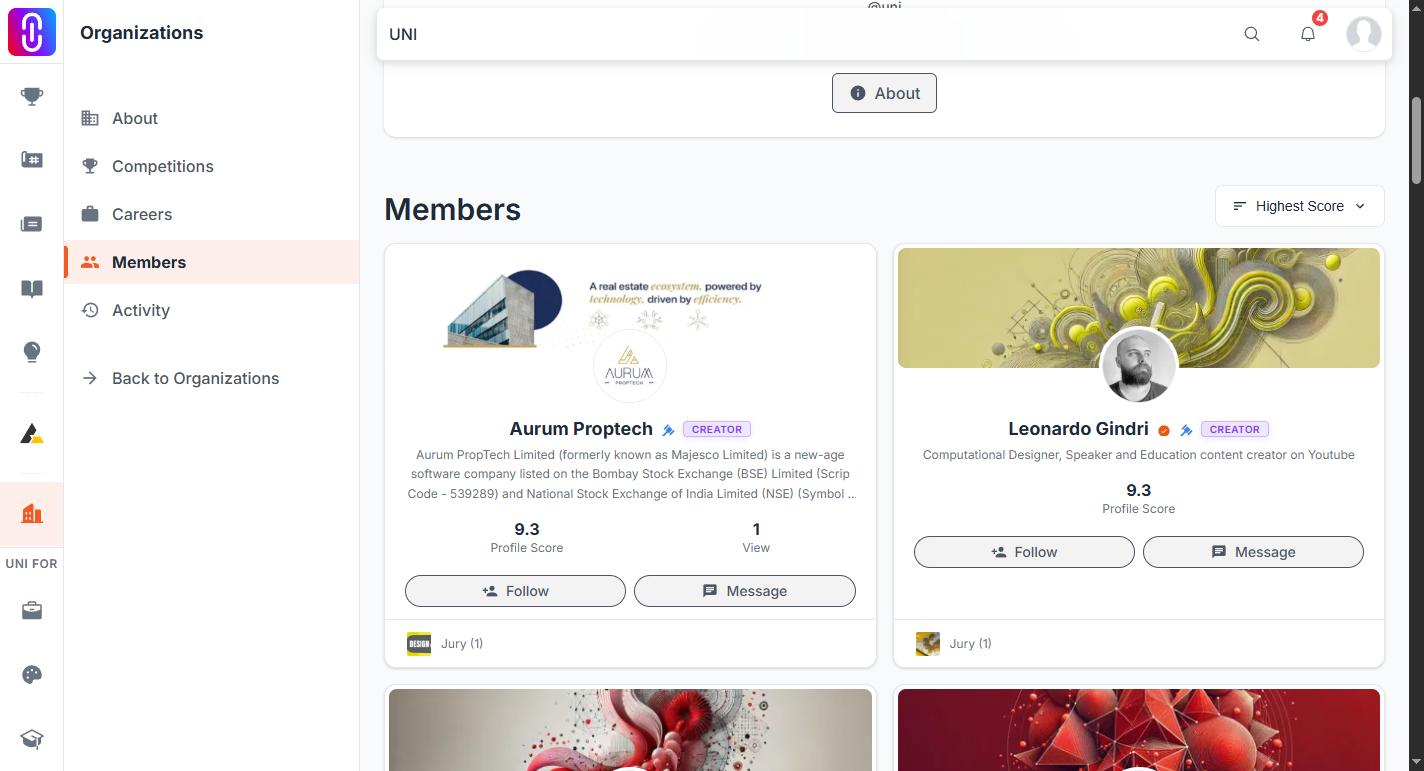
- Every current member, including anyone your organization has marked as alumni.
- Five sorts: Highest Score, Most Awards, Most Projects, Most Followed and Newest. All of them are profile sorts, so the page orders people by their standing on UNI, never by their standing in your organization.
- Everything, to everyone. There is no sign-in wall on it.
What it leaves out
- Roles. No owner or admin marking of any kind, and no way to sort by role.
- A search box. On a large organization you page through the list. To reach one person directly, search their name from the top navigation instead.
- Invited people. Somebody who has been sent an invitation but has not accepted it is not a member yet and does not appear.
- Removed members. Removing somebody deletes the membership record, so they leave the page at once and permanently. There is no former member list.
Why alumni appear
Marking somebody as alumni does not remove them. It is a label for your own Members screen, and the person keeps their role and their membership. Since the public page reads only membership, an alumni is listed exactly like anyone else, with no chip and no section of their own. To take somebody off the public page you have to remove them from the organization.
See Alumni status on an organization member.
Where the roles actually live
Your organization's own Members screen, open to owners and admins, is the one built from membership records. That screen orders by role, has a search box and counts alumni separately. Anything you need to do with roles is done there, and none of it shows publicly.