If the same competition appears twice in your list, you are looking at two entries. Each registration creates its own entry, so registering twice gives you two, even when you attach the same project to both. Connecting your work to one does not merge or replace the other.
Detaching your work from the wrong entry

While the competition's submission window is still open, the entry card carries a Detach work button. It does what it says: it detaches the project, journal or publication from that entry. The entry itself stays in your list and turns back into an empty entry with a Submit button on it.
That is the right tool for a duplicate that is holding your work. Detach it from the entry you do not want judged, so only the entry you care about carries it. The project or publication itself is untouched and stays on your profile.
Clearing an empty entry
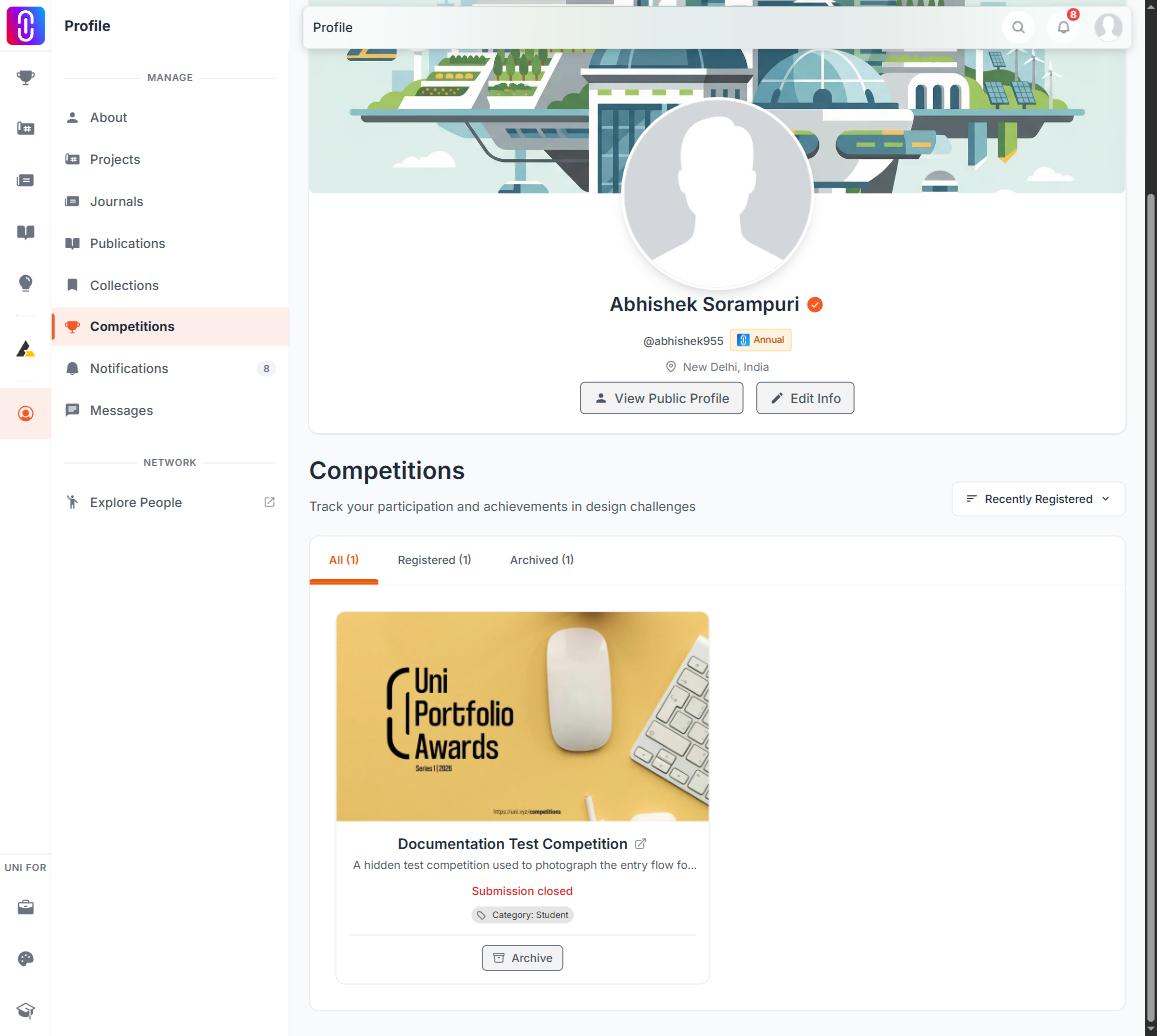
Once the competition's submission window has closed, an entry with nothing attached shows an Archive button. Archiving moves it out of your active list, and Restore brings it back if you archive the wrong one. Archiving is refused while a project is still connected, so detach first.
Removing a live entry

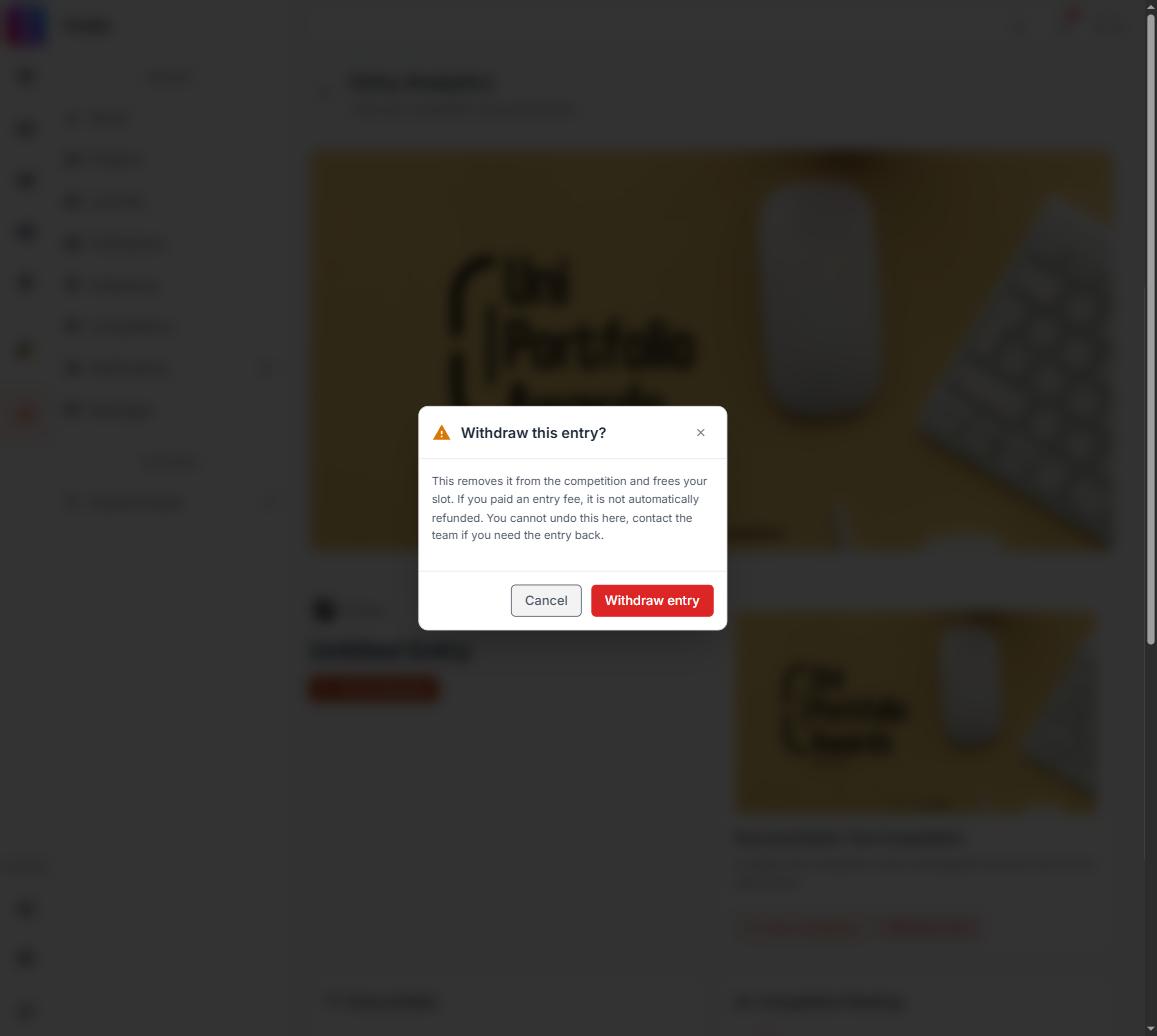
Withdrawing an entry outright, rather than emptying it, is a different control called Withdraw entry, and it sits on the entry's Analytics page. Analytics opens for a live entry, so the control is reachable while submissions are open. It stops being available once the entry has advanced in judging.
It is refused for good in two other cases as well. An entry that has advanced in judging cannot be withdrawn by you at any point, because pulling an entry out mid evaluation affects the results, and that covers anything shortlisted, anything carrying an award, and anything with a certificate already issued.
So if you need a live entry removed rather than emptied, ask for a conversation with the UNI team and say which competition it is and which of the entries are the duplicates. Withdrawing an entry does not refund an entry fee.
When to just ask
Open a conversation with the UNI team for anything that will not clear: an entry that will not withdraw, duplicates that persist, or a payment attached to the wrong entry.
These are handled by a person rather than automatically. Someone from the team checks the entries, makes the change, and replies in the same conversation.
Wrong competition, or moving an entry
If you registered for the wrong competition, or need an entry moved to a different account (for example, a teammate registered under their own account by mistake), this is not self serve. Contact the team with the competition name, the entry in question, and what you would like changed, and they can move or reassign it for you.