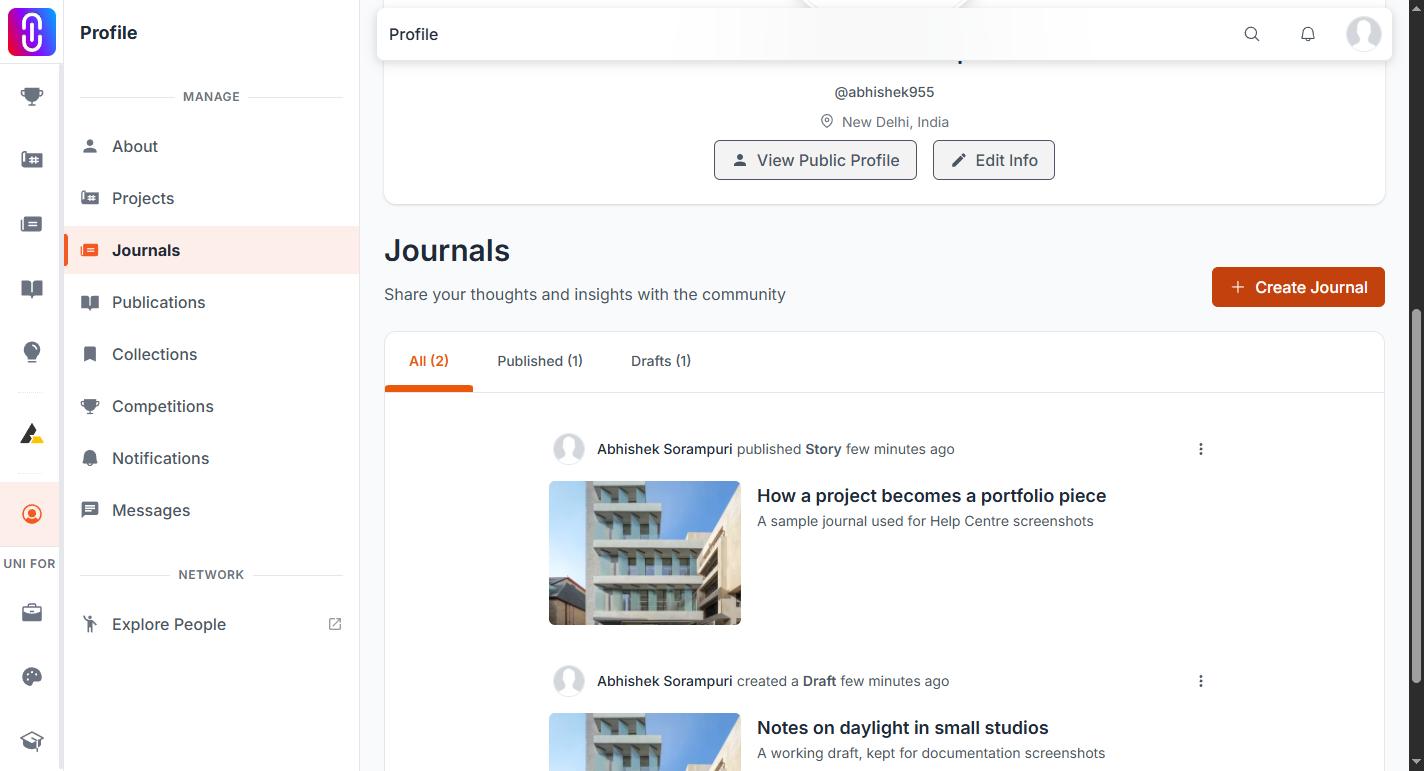
Your drafts are on the Journals page of your profile, at uni.xyz/profile/edit/your-username/journals. From the Journals section of UNI you can also reach it through Drafts in the left sidebar. Set that page's filter to Drafts and everything you have started but not published is there.
A draft is not lost when you close the editor. The editor saves as you type, and a draft then stays where it is indefinitely. Nothing clears out old ones.
A draft is not on the feed and has no address
Drafts are private to you. They are not listed at uni.xyz/journals, they are not on your public profile, and nobody else can open one. A draft has no web address at all, which is why you cannot reach it by searching for its title. See Your journal's web address is fixed the first time you publish.
The Journals page of your profile is therefore the only route back in. Open the draft's card there and the editor reopens where you left off.
Most drafts are called Untitled Journal
Pressing Create Journal creates the draft immediately, before you have typed anything at all. A piece you abandoned in the first minute is saved as Untitled Journal, not under whatever you meant to call it. If you are scanning the page for a title you remember and not finding it, open the untitled cards: your writing is very likely inside one of them.
It also means repeated presses of Create Journal leave a trail of empty drafts behind. They are harmless and private, and you can delete them from the same page.
The Drafts filter only sorts what is already on screen
The page loads twenty journals at a time, and the filter sorts through the ones loaded so far rather than fetching the rest. If you have written a lot, an older draft will not appear until you have pressed Load More far enough down the list.
The number on the Drafts tab counts all of them, so treat it as the reliable figure: if it is higher than what you can see, keep loading. If the count itself is zero, the draft is not on this account, so check which member you are signed in as.
Once a draft is published it moves to the Published filter on the same page and stops appearing under Drafts. It has not disappeared. Reading the journal editor's status label explains how to tell which state a piece is in from inside the editor.