Opening the journals page does not show you every journal on UNI. It opens the Editorial feed, which is a filtered slice of the whole, and the page is headed Editorial to say so. The complete set is a separate feed called All.
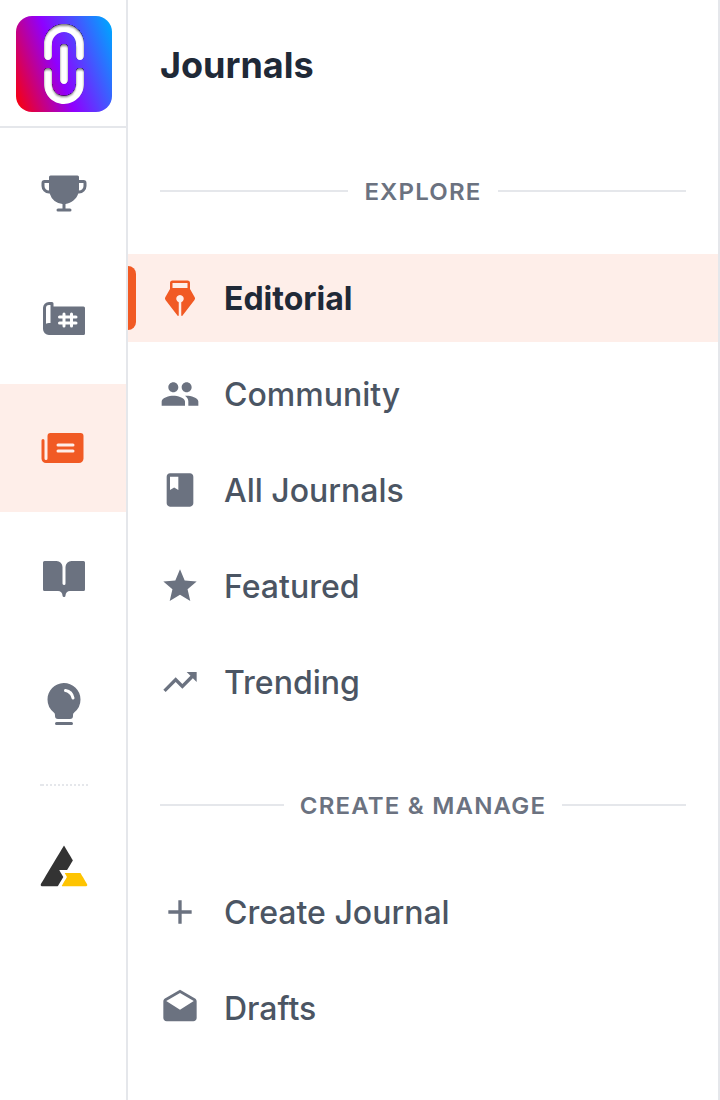
There are five feeds, and you switch between them from the Explore list in the left sidebar of any journals page.
- Editorial, at
/journals/and/journals/editorial/. Journals the UNI editorial team has marked as editorial. This is the one you land on. - Community, at
/journals/community/. Everything except journals published by UNI's own accounts. This is the feed for member writing. - All, at
/journals/all/. Every published journal, editorial and member alike. - Featured, at
/journals/featured/. Journals the editorial team has singled out. The smallest of the five. - Trending, at
/journals/trending/. Journals ranked by how many visits they have had in the past thirty days, and only journals that have had at least one.
Community is far smaller than All, because most of what is published on UNI comes from its editorial team. Editorial and Community do overlap: a journal written by a member and then marked editorial appears in both, and a large share of the editorial feed is exactly that. Neither feed is a subset of the other. Featured is a small hand-picked set drawn from across both. Trending is not a filter at all: it is an ordering.
Trending is recalculated hourly
The trending order is worked out on the server and held for an hour, so it does not shuffle each time you refresh. A journal appears there only if somebody has opened it in the last thirty days, which is why old and well-liked pieces can be missing from it.
Sorting
Every feed carries a sort control offering Relevance, Most Recent, Most Popular and A-Z. On a feed, Relevance and Most Recent give the same result, because there is no search term to be relevant to.
What none of the five will show you
- Journals still in draft. Those are visible only to their author.
- Journals their author has unlisted. Those stay reachable at their own address but are kept out of every listing.
- Journals by an author whose profile is hidden.
If a journal you expected is missing even from All, one of those three is the reason.
Looking for one particular journal
Feeds are built for browsing. To find a specific piece, use the search box at the top of the journals page, which reads titles and taglines and can be narrowed by story type, discipline and author.