Three different marks can sit beside a name on UNI, and they mean three different things. A word such as Explorer or Expert is a rank, which is earned from activity. A small product icon is a membership, which was bought. A blue tick is verification. Buying something does not change your rank, and posting does not change your membership.
A fourth mark, a gavel, means the member sits on a competition jury.
Your rank is a position, not a total
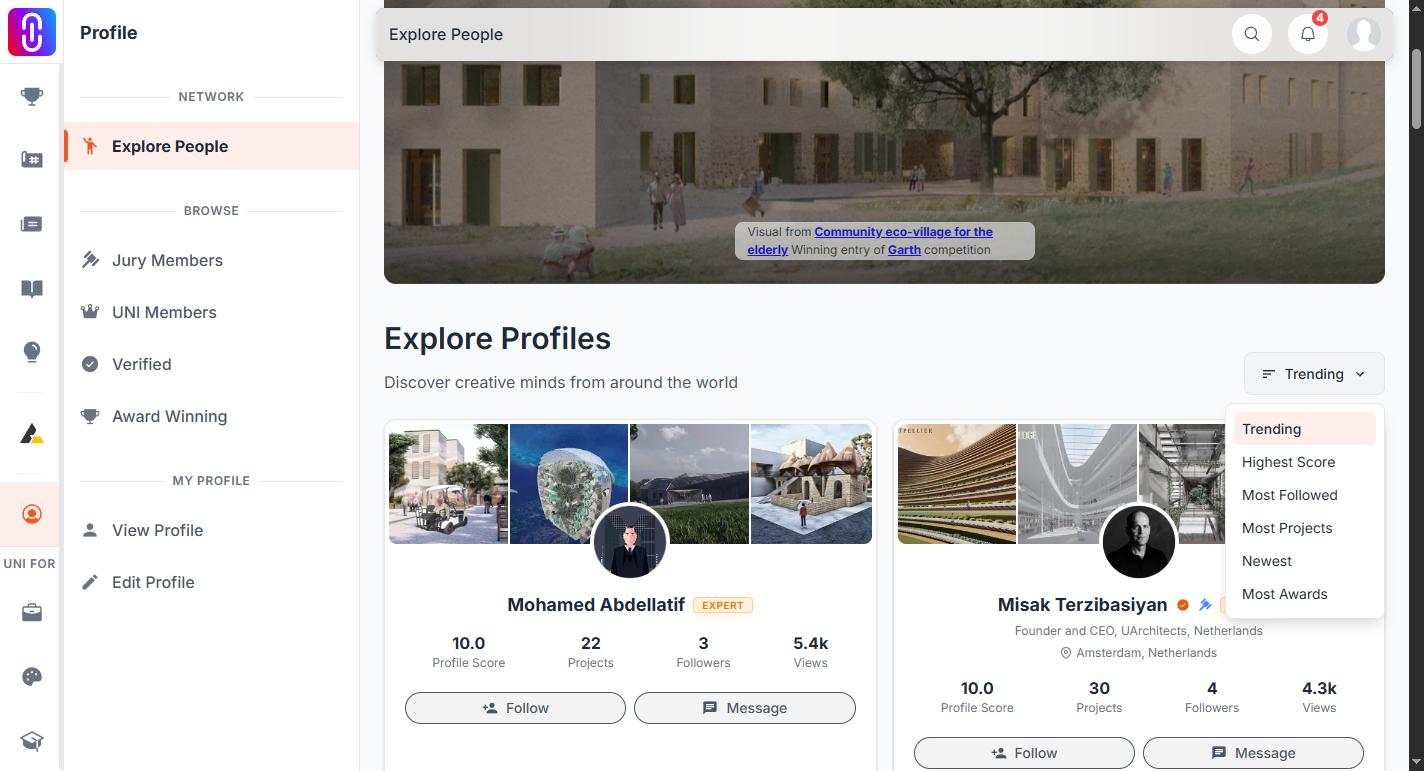
Your rank comes from your profile score, a figure between 1.0 and 10.0 that you can see on your own profile. The score is not a sum of what you have done. It is where you sit against every other ranked member, worked out by counting how many of them have fewer points than you.
There are four ranks. From lowest to highest: Explorer, Enthusiast, Creator, Expert.
Two rules decide whether you carry one at all.
- You need 20 base points before you are ranked. Below that your profile shows no rank badge. Base score is the raw points total behind the percentile, and it is shown only to you, on your own profile.
- Ranks are recalculated once a day. Anything you add today is reflected tomorrow at the earliest.
Base points come from filling out your profile (education, work, skills, languages, achievements, links, bio, about, location, avatar and cover), from publishing projects, journals, publications and discourses, and from followers, views and likes on your work. Competition entries, awards and serving on a jury are worth far more than any profile field. Reports upheld against you subtract.
Because the score is relative, your rank can slip while you are still working. If other members gain points faster than you, your percentile falls even though your own total went up.
Rank changes three things on the platform. Reaching Creator, which begins at a profile score of 9.00, makes you eligible to apply for creator revenue sharing; an active membership makes you eligible too. Reaching Expert, which begins at 9.90, lets you rate other members' projects on any plan, and makes you eligible to be invited as a community juror on competitions, whatever your years of experience. Jury seats are still by invitation, but Expert rank is how members who are early in their careers earn one.
The membership badge is a purchase, and it expires
The membership badge is the small plan icon shown by your name and under your profile photo. It is there while a membership is running and gone when it lapses. It has no effect on your rank, and no rank gives you a membership.
The blue tick is not your email
The tick appears in three cases: you are UNI staff, you are listed on the jury of a competition UNI hosts, or you hold an active Annual, Studio or Institutional membership. Weekly, Monthly and Semester do not carry it.
Confirming your email address is a separate matter and never produces a tick. See Membership tiers.
Where each one shows
The rank badge appears on profile cards, in member lists and search results, and in the Profile Score panel on your own profile. The tick, the gavel and the membership badge appear at the top of the profile page itself.