They change the example text in the box and nothing else. Selecting YouTube does not tell UNI that you are adding a YouTube video, does not filter anything, and does not make a link more or less likely to be accepted. Whether your link works is decided entirely by the link.
Selecting a button a second time deselects it. Adding an embed with nothing selected behaves exactly the same as adding one with a button selected.
What the row is really for
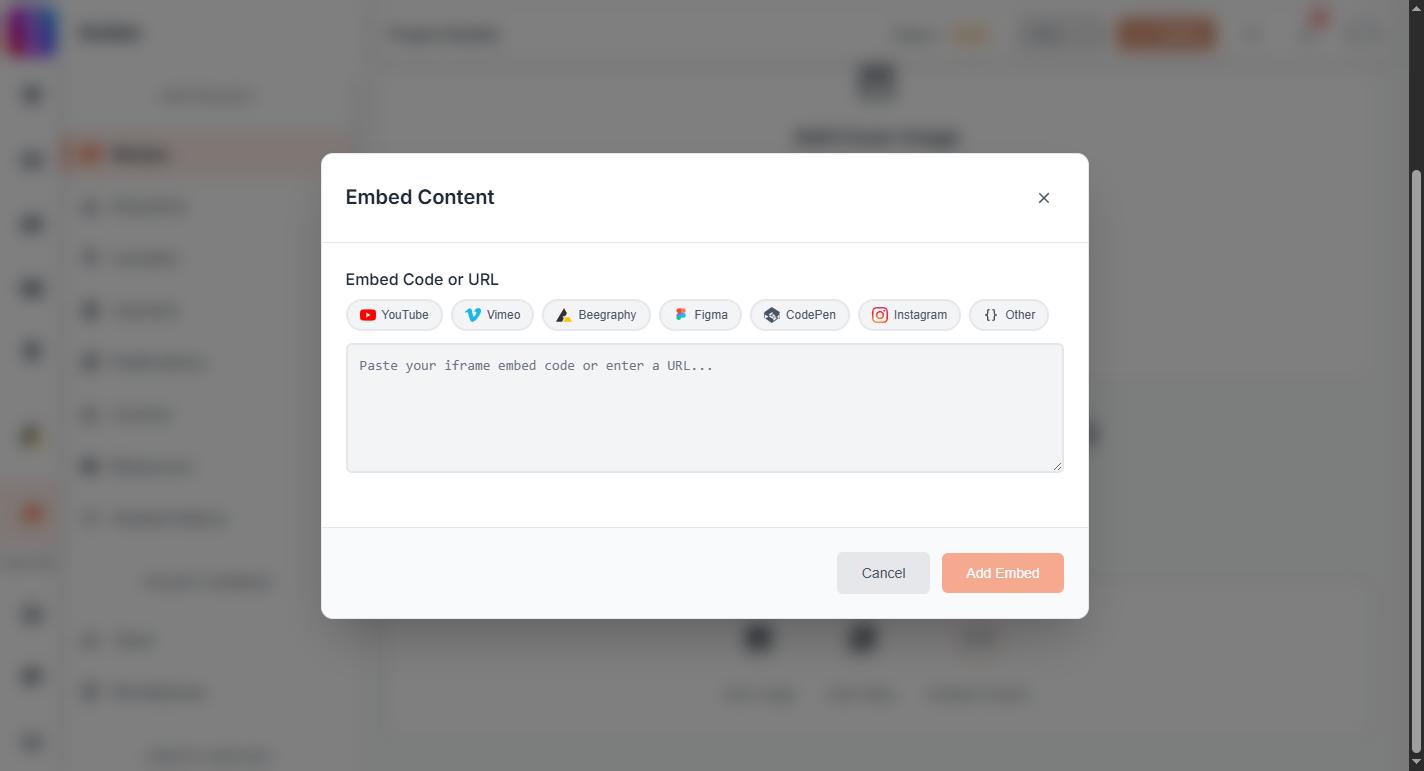
There are seven: YouTube, Vimeo, Beegraphy, Figma, CodePen, Instagram and Other. Each swaps the greyed-out prompt inside the box for a matching one, so Beegraphy reads "Paste a Beegraphy project embed code..." and Figma reads "Paste a Figma file or prototype URL...". It is a hint about what to paste, not a setting to configure.
That is worth knowing mostly for what it rules out. There is no step to get right before pasting. Paste the link or the iframe code, and read what the box says next.
What actually decides whether it is accepted
The box checks what you paste as you type, and Add Embed stays unavailable until that check passes.
- Please enter a valid URL or iframe embed code means what you pasted is neither. Loose text, a partial address, or a share message with words around the link will all produce this. Trim it back to the link alone.
- Could not parse embed content means it looks like an address or an iframe, but nothing usable could be read out of it.
- Invalid embed code format means the iframe itself is malformed, usually because it was copied only in part.
- Generated embed code contains unsafe content appears when you press Add Embed, and means the code carried something we will not put on a page.
None of these change if you select a different button first.
The source still has to be one we allow
Beyond the format check, only certain sources are permitted at all, and a perfectly well-formed link from a site that is not on the list is refused after you press Add Embed. Which embeds you can use in a project has the list and what to do instead.