A project on UNI can have a team, not just a single owner. This lets you collaborate with other members or an organization on the same piece of work.
Add someone to a project
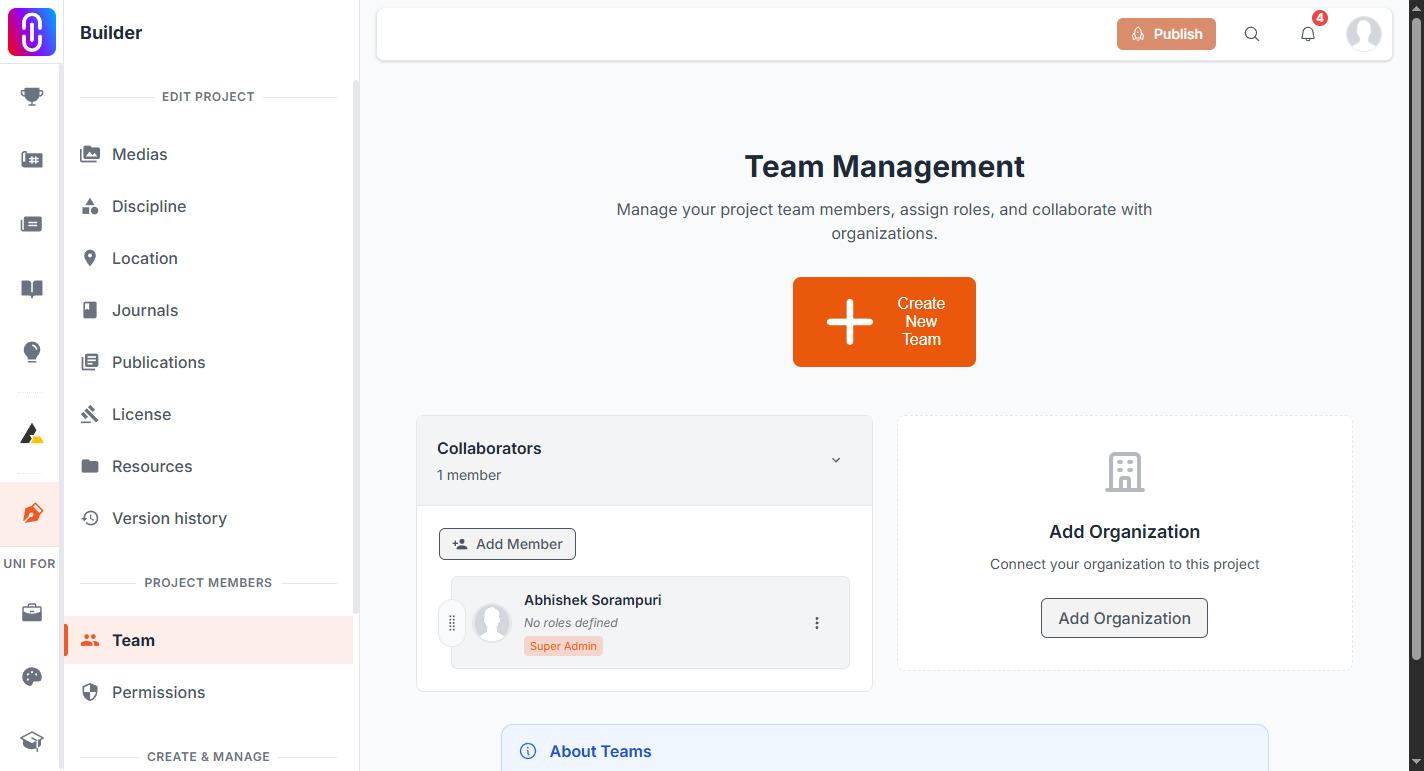
- Open the project in the builder and go to Project Members, then Team.
- Click Add Member.
- Search by username or email. Pick the person from the results if they are already on UNI. If they are not, enter their email address and they will be invited by email.
- Set their permission level: Super Admin, Admin, Manager or Team Member.
- You can also tag descriptive roles onto a member, for example a job title or the part of the work they contributed.
There is no limit on how many people a project team can hold.
Invitations have to be accepted
Adding someone does not put them on the team straight away. They receive an invitation and have to accept it before they become an active member. Until then they show on the Team page as Invitation Pending.
The three-dot menu next to a pending invitation offers Resend Invitation and Cancel Invitation.
An invitation stays valid for three days. Resend Invitation only works once that window has passed, so if you want to reach someone sooner, cancel the invitation and add them again.
Permission levels
From most to least control, the four levels are Super Admin, Admin, Manager and Team Member. Your own level decides which members you are able to edit. A project always needs at least one Super Admin, so the last remaining Super Admin cannot be moved to a lower level until someone else has been promoted.
Competition team vs project team
These are two different things. When you register a team for a competition, only the account that submitted the registration sees that entry in its own entries list, even if teammates are named on it. Adding collaborators to the underlying project is separate, and every collaborator can see and edit the project itself.
Being added to a project team does not add you to its competition entry, and being named on a competition entry does not give you edit access to the project. If a teammate says they cannot see the competition entry, check whether they registered it or were only added to the project.