A publication does not need a licence to publish. The licence sits on step two of the editor, the Publishing Details page, next to the thumbnail and discipline. You can leave it unset, publish, and add one later, or set one and swap it for another whenever you like. What you cannot do is take it off again once it is chosen.
You can pick from seven licences
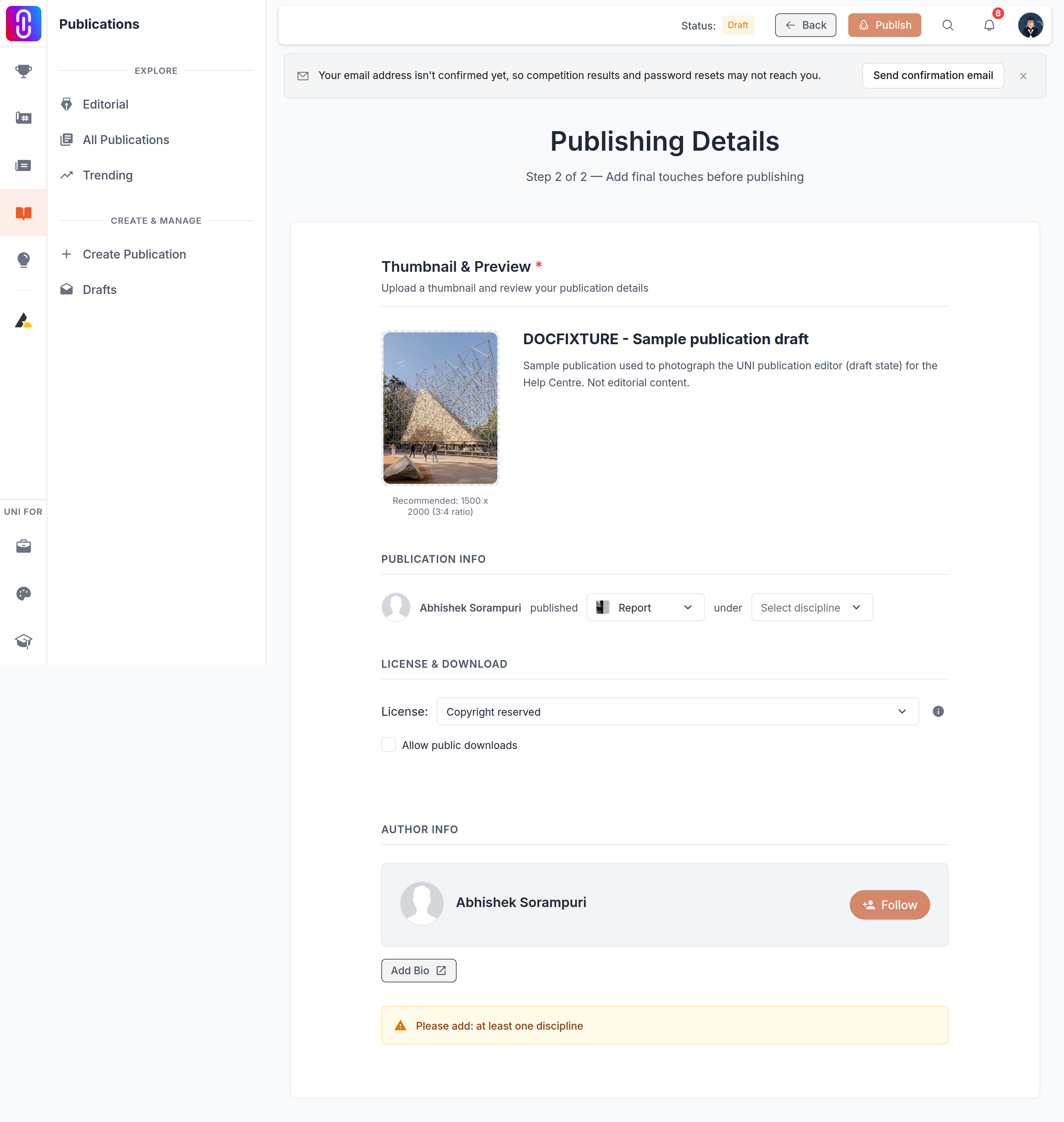
The list is the same catalogue used across UNI: Copyright reserved, which keeps all rights with you, and six Creative Commons combinations built from attribution, non-commercial and no-derivatives terms, from the fully open CC BY through to the most restrictive CC BY-NC-ND. The dropdown on the Publishing Details page shows only the names. For what each one actually permits, see Licences on your work, which covers the full set in detail.
Choosing one saves it straight away
There is no separate draft state for this field. Pick a licence and the editor writes it to the publication a couple of seconds later, the same auto-save that handles the thumbnail and discipline fields. This happens whether or not you have published yet, so the licence is attached to the record as soon as you choose it, not staged until you press Publish.
You can swap it, you cannot clear it
The dropdown will only ever offer you a licence to select. There is no blank or "no licence" entry in the list, so once one is chosen the only way to change your mind is to pick a different licence, never to remove the field back to empty. If you are not sure which one you want, that is a reason to leave it unset for now rather than pick one to see how it looks. Unset and unchosen are not the same position once you have made a choice.
The hover icon explains the one you picked
After you choose a licence, an info icon appears next to the dropdown. Hovering it opens a popover with that licence's terms, so you can check what you just selected before moving on. The icon only appears for the licence currently selected, not for the other options in the list, so it is a way to confirm your choice rather than to compare them side by side while browsing.
Readers see it once you publish
A licence you set is not private to the editor. On the published page it appears in a licence card, with the same hover popover available to whoever is reading. If your publication is downloadable, the licence is the term a reader is agreeing to when they take a copy, which is another reason not to pick one casually before you are ready to commit to it.
What to do
- Decide whether you want to grant any reuse rights at all. If you do not, leave the licence unset. It is optional and will not block publishing.
- If you do want a licence, read what each one permits at Licences on your work before you pick, since you cannot revert to no licence afterward.
- Choose it on the Publishing Details step. The change saves within a couple of seconds, and you are free to swap to a different licence at any time.