The thumbnail on a publication's Meta step (/publications/edit/<id>/meta) takes an image file up to 10 MB, and the upload box has no delete option: to change it, you replace it.
The cap is 10 MB, not 15
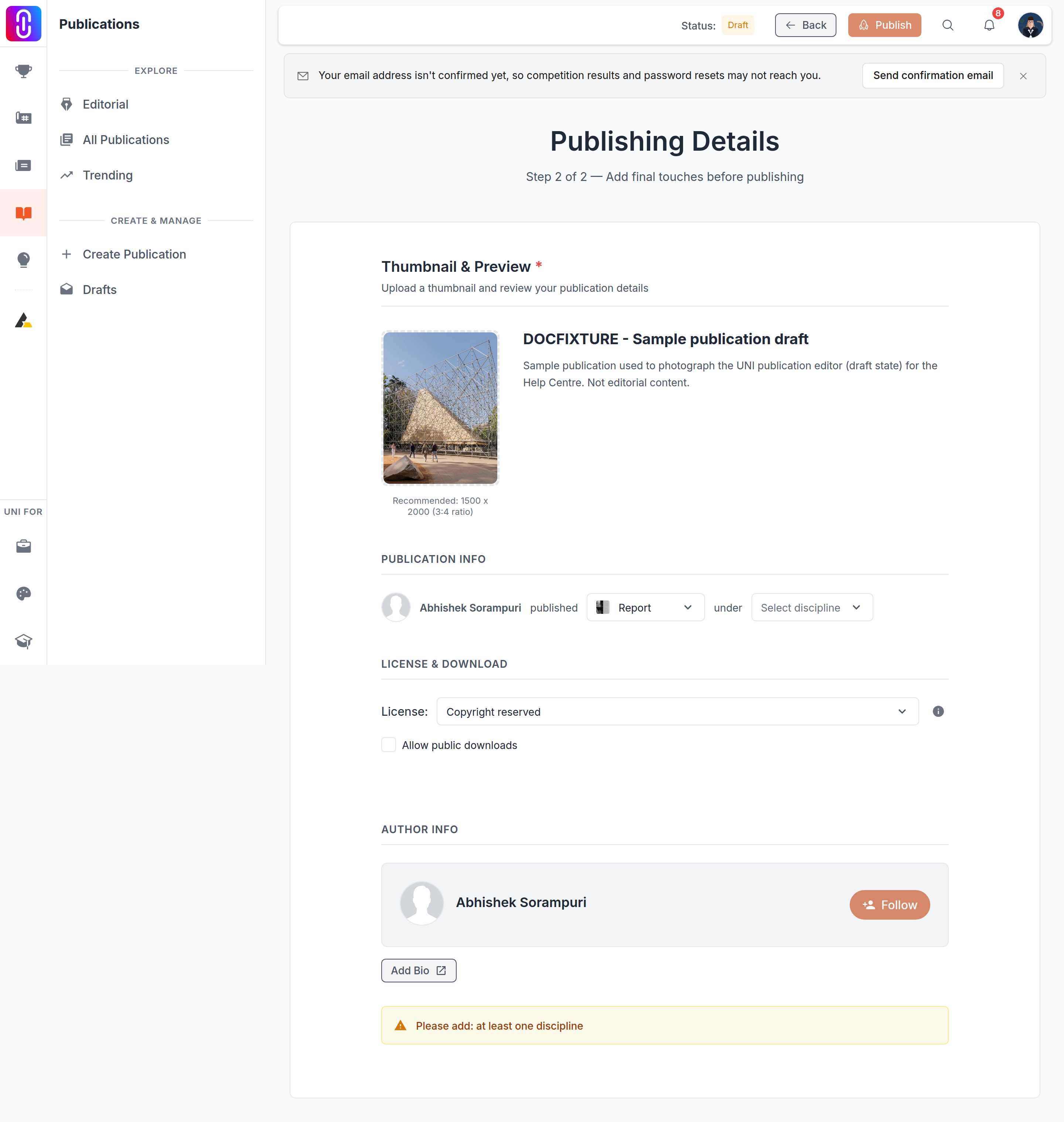
If you have edited a journal cover, do not carry that number over. The journal cover uploader allows files up to 15 MB. The publication thumbnail uploader is a separate configuration set at 10 MB, and a file over that is rejected with "File size must be less than 10 MB" before it uploads.
Only images are accepted. A non-image file is rejected immediately with "Please select an image file", checked from the file's type rather than its extension.
The card is portrait, so the thumbnail should be too
Publication cards are taller than they are wide, and the thumbnail uploader is built to that shape: 3:4. The page recommends 1500 x 2000 pixels. That is a recommendation printed under the upload box, not a check the uploader runs, so a landscape image is accepted and then cropped or padded to fit the portrait frame rather than rejected. If your cover looks off after uploading, the source image's own proportions are usually why, and the fix is to crop it to 3:4 before you upload rather than after.
There is no delete button here
Every other cover uploader on UNI that allows removal shows a trash icon on hover. This one does not, because the publication editor builds this specific uploader with deletion turned off. The button never renders, no matter what state the thumbnail is in.
The platform can clear a publication's cover through its API, so the capability exists. It is simply not wired to anything in this editor. In practice this means the only way to change the image from here is to upload a new one over it, which replaces the old file the moment the upload finishes. There is no way to end up with a publication that has no thumbnail at all through this page, once one has been set.
You cannot publish without one
A cover is one of the fields the server checks before it will let a publication go live, alongside a title, a PDF and a discipline. Leave the thumbnail empty and the Publish button will not complete the publish, no matter how ready the rest of the page looks. See Publish button troubleshooting for the full list of what each step requires.