If you paid for a membership and your account still shows as not active, work through these three checks in order. It is nearly always the first one.
1. Sign out and sign back in
Your browser keeps a copy of your account details from the moment you signed in, and it is not refreshed when a payment completes a few minutes later or in another tab. Signing out clears that copy and signing back in fetches your current status. If the payment went through, the membership appears.
2. Confirm the payment actually completed
Check your card or bank statement, or the confirmation email from PayPal or Razorpay, and make sure the charge went through rather than being declined or left pending. A payment still showing as processing on the payment provider's side has not reached us yet.
3. Check which account you paid with
If you have more than one account, or you were signed in under a different email at checkout, the membership will be on that account. Sign in with the email you used to pay and check there.
Where the status lives
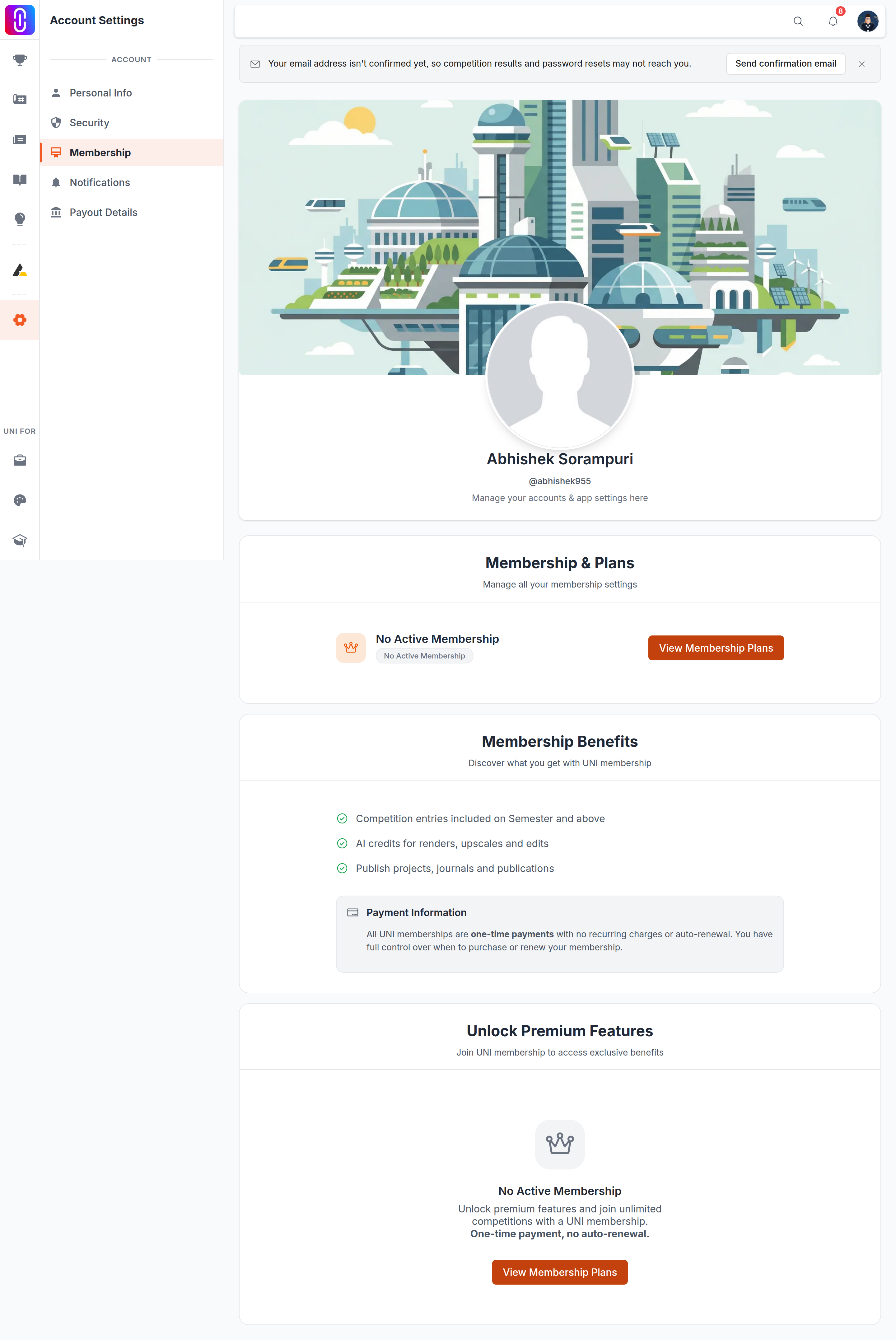
Account settings, Membership, under Membership & Plans. An active membership shows its name, the days remaining and the end date. If it reads No Active Membership, the purchase has not been applied to the account you are signed in as.
If all three checks fail
Do not pay again. A second charge will not activate the first one, and it makes any refund more complicated.
Ask to be connected with the team instead, and have your payment confirmation or transaction reference to hand if you have one. They can look the transaction up and tell you what happened. It is a manual check, so allow some time for a reply rather than expecting an immediate fix.
Memberships are one-time purchases and nothing renews automatically, so once this is sorted there is nothing further to manage or cancel.