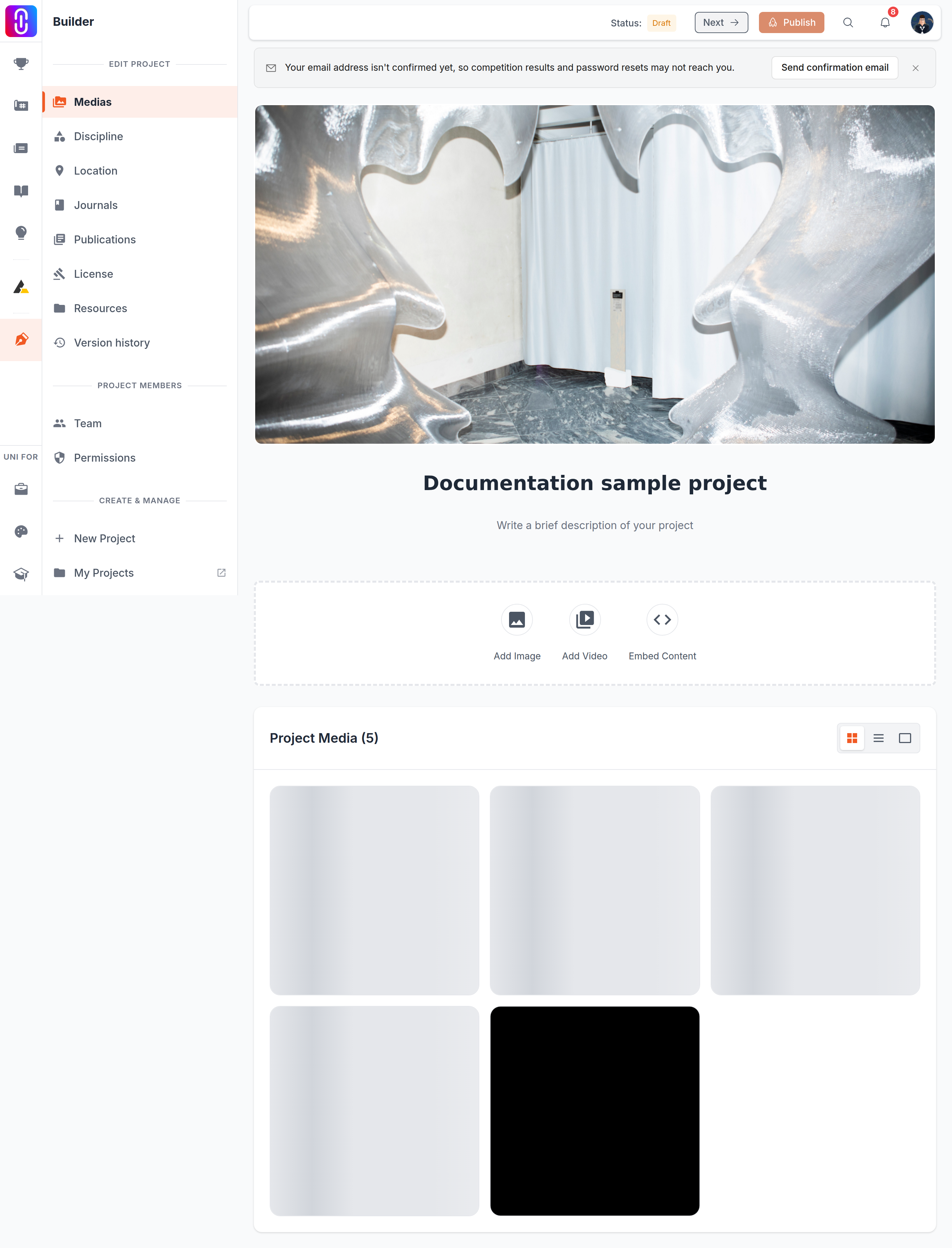
No, and the button gives you no warning first. The bin on the cover image deletes it the moment you press it. There is no confirmation dialog, no undo, and restoring an earlier version of the project will not bring the image back. If you still have the file on your computer, uploading it again is the only way to get that cover back.
This is the one place in the media page that behaves this way. Deleting an image from the gallery below asks you to confirm; deleting the cover does not.
The deletion reaches every version, not just the live page
Removing an image does not remove it from one version of your project. It removes it from the project. The image leaves your public page at once, and it leaves every version you published before today as well. Restoring an earlier version will bring back that version's title, description and arrangement, but the deleted picture is gone from it too.
That is the same rule that applies to any image, video or embed you delete. What the project editor saves on its own sets out which changes wait for Publish and which do not.
Your next image becomes the cover on its own
The cover is simply the first image in the project. When you delete it, the image that was next in the gallery moves up and becomes the new cover, with no prompt and no choice offered. If that is not the picture you want representing the project, set the one you do want:
- Open the image you want as the cover from the gallery.
- Tick Set as cover image.
- Save.
A video can never be the cover, so the option is not offered on one. If every image is deleted and only videos remain, the project shows no cover at all.
Change the cover instead of deleting it
If your aim is a different cover rather than no cover, use the picture button next to the bin. It replaces the current cover in one step, which keeps a working cover on the page throughout. Cover uploads take JPEG, PNG or WebP up to 10 MB; the other formats the picker offers are refused. Why a file was refused lists them.
If the delete fails
The cover disappears from your screen before the server has answered. If the server refuses, because you no longer have edit rights on the project for example, the cover reappears and you get Failed to remove cover image. A successful delete says Cover image removed. Take the reappearing cover as a sign the deletion did not happen, not as a recovery.