The box is not an address search. It looks your text up in UNI's list of cities, and nothing else, so a street, a building, a neighbourhood or a village that is not itself a city returns no results at all. That is the whole reason your search comes back empty, and there is no setting that widens it.
Three things follow from that, and they explain most empty searches:
- Only the city name is matched. Typing a country, a state or a region finds nothing unless a city happens to carry that word in its own name.
- The match is on any part of the name. Searching "york" finds New York, so a partial spelling is fine. A misspelling is not.
- Nothing is saved by typing. The coordinates come from the result you select in the dropdown, not from the text in the box. Typing a place and moving on leaves the project with no location.
Pick the nearest city, then move the pin
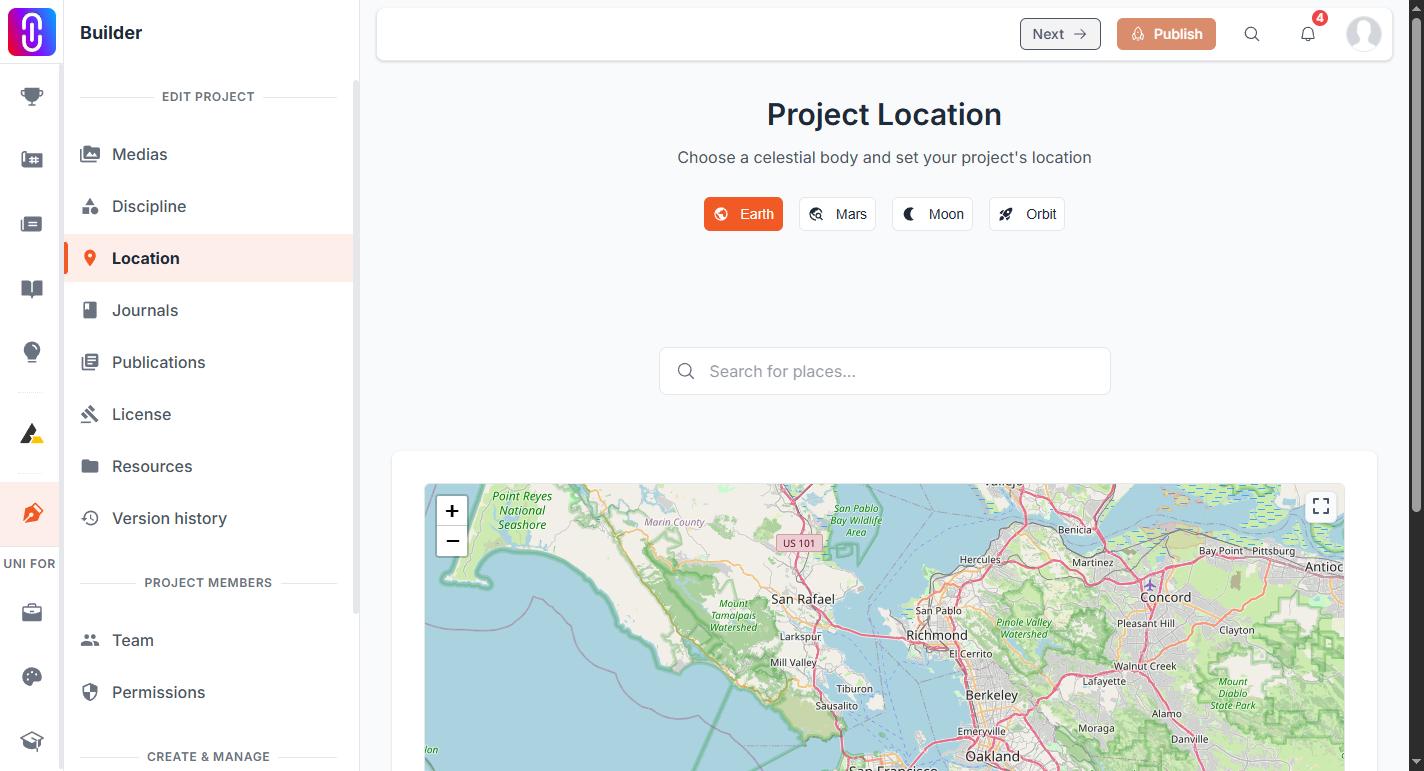
This is the answer for a specific site, and it is not a workaround: it is how the page is meant to be used.
- Search for the nearest city you can find and select it. The pin drops at that city's own coordinates and the location saves.
- Drag the pin onto the actual site, or type the coordinates into the Lat and Lng boxes below the map.
- UNI looks up an address for the new spot and renames the location to match.
Setting exact coordinates for a project walks through that second step.
If you only ever see four cities
New York, San Francisco, London and Mumbai appearing for every search, with a message about demo mode, means the city lookup could not be reached. Those four are a placeholder list. Selecting one of them saves nothing to your project. Reload the page and search again.
For a place with no nearby city
Remote sites, offshore work and unbuilt proposals are all easier to place by pin than by name. Click anywhere on the map with no location set and UNI creates one from those coordinates, naming it from whatever address it can find. If it cannot find one, the location is still saved and it is named after the coordinates themselves.
Mars, the Moon and orbit work differently
The tabs above the search do not use the city list at all, because there is nothing to search. You type the coordinates yourself. See Setting a location off Earth.