Two different things happen to the PDF you upload, and the answer depends on which one a viewer is looking at. The reader on the publication page shows re-rendered page images, which are smaller than your originals. A download hands over your file, untouched.
So nothing you upload is lost or altered. What is reduced is the copy the reader displays.
What the reader does to each page
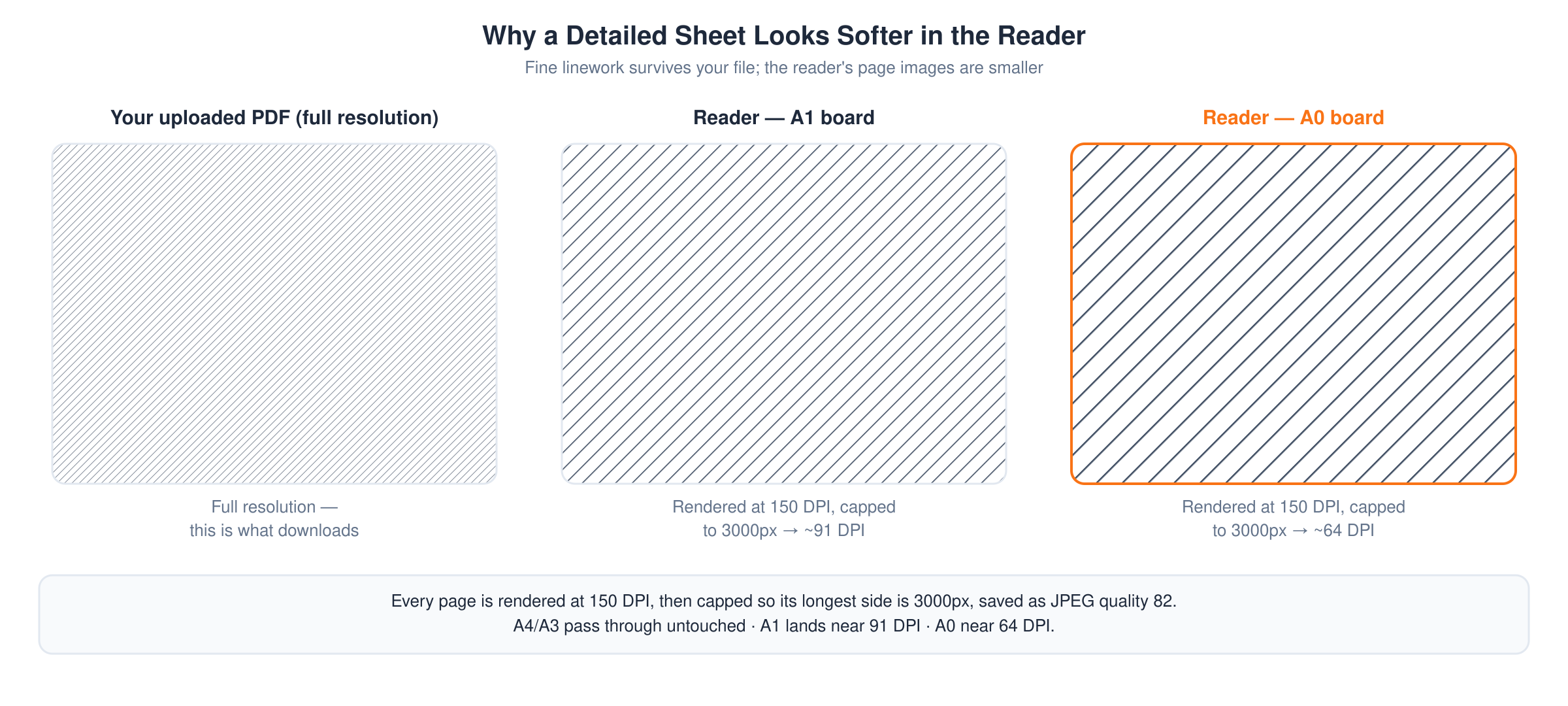
When a publication is published, UNI turns every page of the PDF into an image and serves that set to the reader. Three things happen on the way:
- Each page is rendered at 150 DPI.
- If either side is longer than 3000 pixels, the page is scaled down until the longest side is 3000, keeping its proportions.
- The result is saved as a JPEG at quality 82. Transparency is flattened onto a solid background.
This is what lets the reader turn pages quickly instead of making every viewer download the whole file first.
What that means for your sheet size
The 3000 pixel cap is what actually decides quality, and it bites hardest on large sheets. For a portrait sheet at 150 DPI:
| Sheet | Rendered at 150 DPI | After the cap | Effective |
|---|---|---|---|
| A4 | 1240 x 1753 | unchanged | 150 DPI |
| A3 | 1753 x 2480 | unchanged | 150 DPI |
| A2 | 2480 x 3507 | 2121 x 3000 | 128 DPI |
| A1 | 3507 x 4966 | 2118 x 3000 | 91 DPI |
| A0 | 4966 x 7021 | 2121 x 3000 | 64 DPI |
A4 and A3 pass through at full 150 DPI. Presentation boards do not: an A1 board is displayed at roughly 91 DPI, an A0 at roughly 64.
What this means for detailed drawings
Fine linework, hatching and small annotation are what suffer first, and on a large sheet they can close up or disappear in the reader even though they are perfectly sharp in your file.
Two things follow.
Do not size text or line weights for the reader. Draw them so they survive at roughly a third of your sheet's native resolution. Anything you need a viewer to read on screen should be comfortable at A3.
A publication is not a way to bypass image compression. You may have read the opposite in an older UNI journal, which advised uploading high resolution drawings as a publication rather than into the project section. That advice was wrong: the reader compresses large sheets harder than the project board does. Choose between them on what the work is, not on image quality. Projects vs publications: which one to use covers that choice.
The download is the full quality copy
The downloaded file is the PDF you uploaded, byte for byte. Nothing is re-encoded and nothing is resized. If a viewer needs the real resolution, that is the path.
Who can download it:
- You, as the author, always.
- Any UNI member with an active membership, on any publication.
- Everyone else, only if you ticked Allow public downloads on step two of the editor.
If detail matters to your audience and you are happy for them to have the file, leave that box on. See Downloading a publication.
Upload limits worth knowing
The editor accepts a PDF of up to 50MB. Publications of more than 500 pages are refused. If your file is over the limit, exporting at a lower PDF image quality is usually enough, and costs you nothing in the reader, which is re-rendering the pages anyway.