On the second step of the publication editor, the thumbnail, the publication type, the disciplines and the licence are written straight to the live publication. A published publication has no draft copy, so anything you change on that step reaches readers as soon as it saves. It is not held back for Publish, and the only way to undo it is to set the value back.
The thumbnail is the fastest of the four. It does not wait for a save at all. The upload attaches the new image to the publication as part of the upload itself, so the moment the progress spinner stops, the cover has changed on the publication page, in every feed and on every card. The other three ride a timer.
The timer is two seconds from your last change
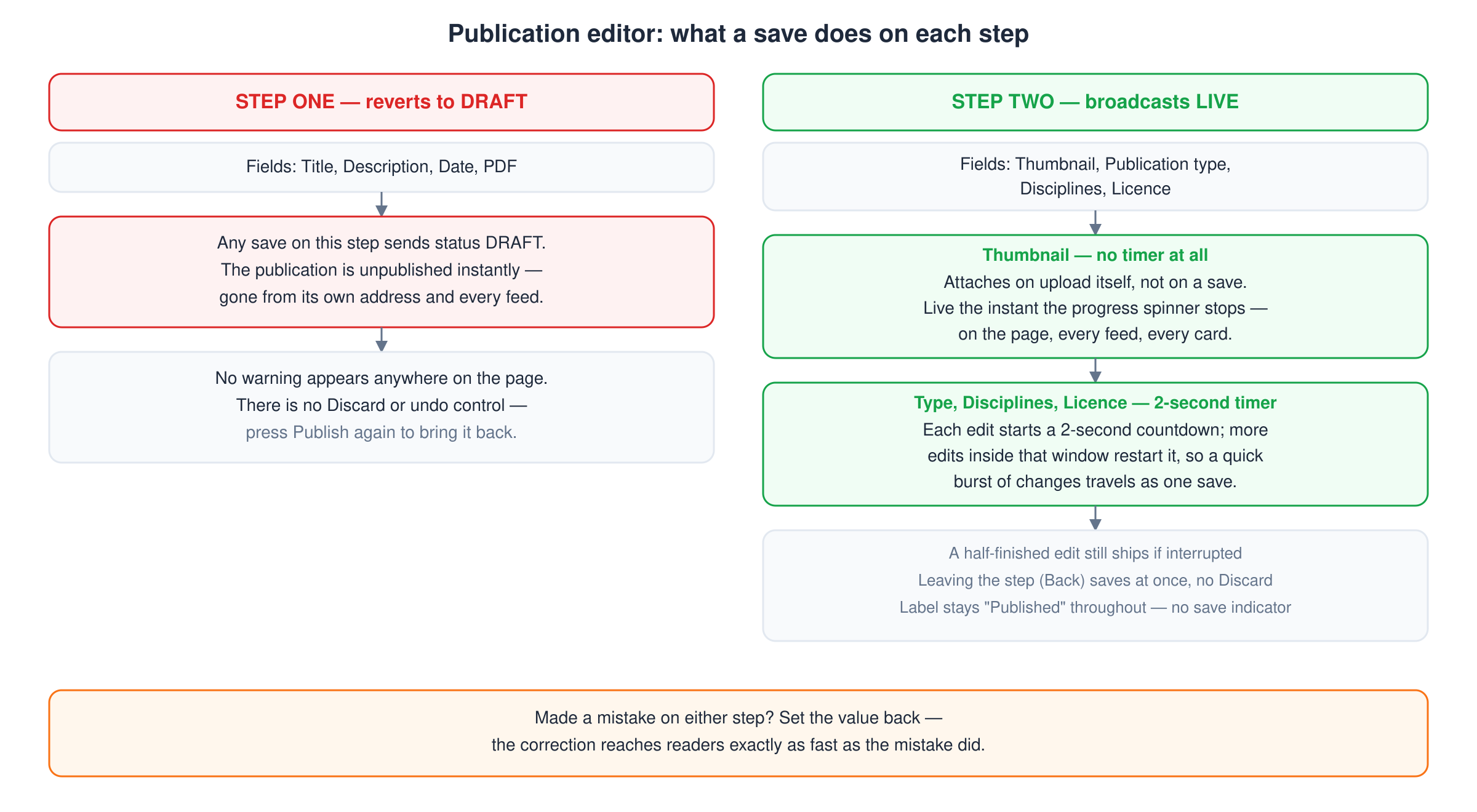
Changing the type, a discipline or the licence starts a two second countdown. Touch nothing else for two seconds and a save goes out. Change something again inside that window and the clock restarts, so a quick burst of edits travels as one save.
Two things follow from that.
- A half-finished change is public. If you set the first discipline, intend to set the second, and something interrupts you, the countdown does not wait. Readers get the publication with one discipline on it.
- Leaving the step saves as well. Pressing Back saves immediately rather than waiting the two seconds out, so there is no exit that throws the change away. There is no Discard control on this step.
Nothing on the page tells you it saved
Step one of this editor shows a status that moves through Saving, then Saved just now, then the publication's state. Step two shows none of that. The status keeps reading Published the whole time you edit, before the save and after it. No indicator appears while the save is in flight and none appears when it lands, so treat each control as live rather than waiting for a confirmation that is never going to come.
Step one behaves in the opposite way
This is the part that catches people out. Step one holds the title, the description, the date and the PDF, and every save it makes sends the status DRAFT. So typing into step one on a published publication takes it off the site: it stops being readable at its address and stops appearing in feeds until you press Publish again. There is no unpublish control and no warning, and that is what is happening when a live publication disappears while you are editing it.
The two steps therefore fail in opposite directions. Step one takes the publication down. Step two broadcasts. Neither one says so.
Two smaller notes about this step
Allow public downloads sits here and saves like the rest. The checkbox triggers the same two second save and the new value sticks in both directions. It was ignored until August 2026, so if you set it before then and it seemed not to take, set it again. Downloading publications covers what it means for readers.
Each save while published re-runs the web address. The address is built from the title and the description, neither of which lives on step two, so a step two save normally rebuilds the same address and nothing moves. Your publication's web address changes when you edit it covers the case where it does move.
What to do
- Settle the type, the disciplines and the licence before you first publish. While the publication is still a draft, nothing on that step is visible to anyone. Finding your publication drafts explains where they live.
- On a live publication, decide the final value before you open the control, because opening it and changing your mind still sends a save.
- If you set something by accident, set it back. The correction reaches readers exactly as fast as the mistake did.
- Expect step one to unpublish. Opening it is safe. The first character you type is not.