There is no separate feedback button on UNI any more. The one control in the bottom right corner of every page is the UNIfy assistant launcher, and everything that used to go through a feedback button now goes through it.
What the launcher is
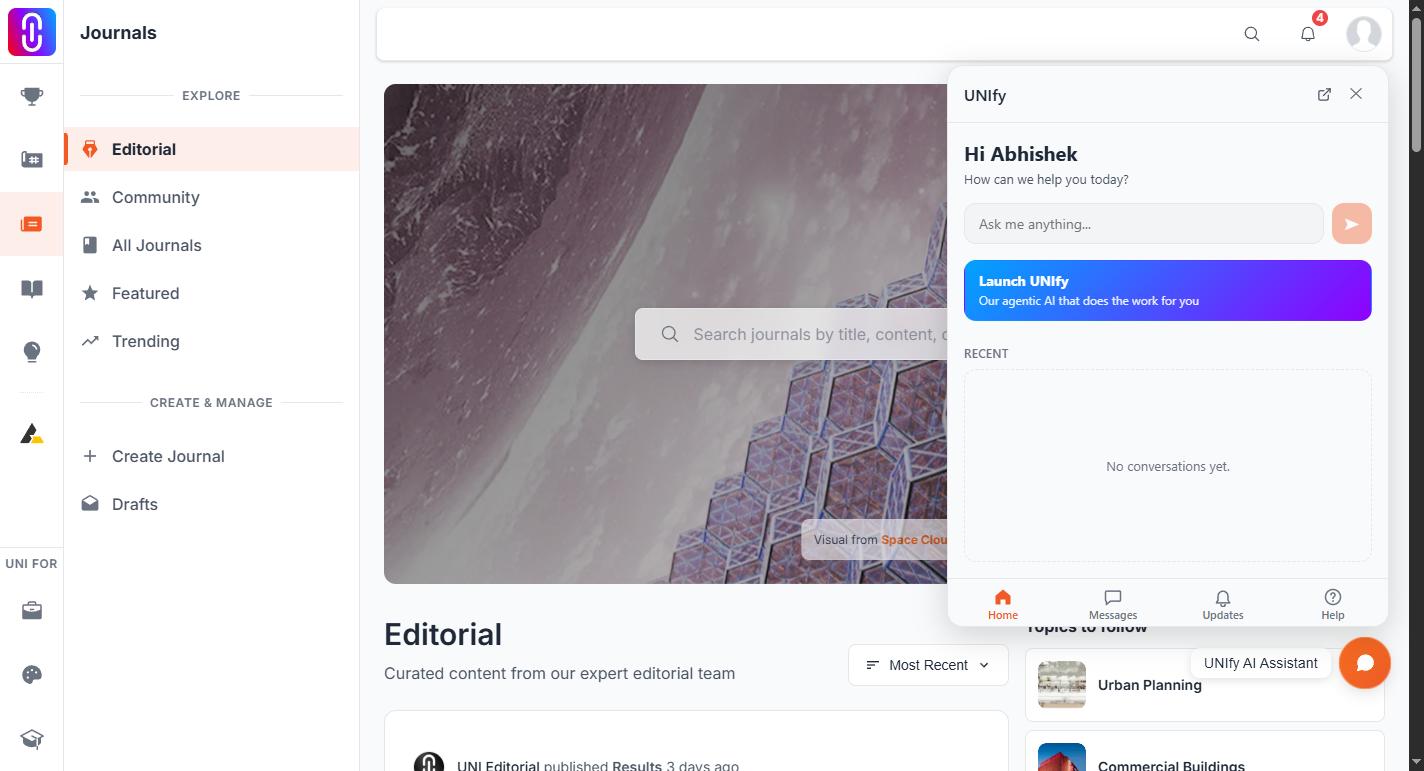
Select it and a panel opens with four tabs:
- Home to ask the assistant something or pick up a recent conversation.
- Messages for your direct messages and for UNI Support.
- Updates for what has changed on the platform.
- Help for this help centre.
The first time it appears it shows a small greeting, "Hi! How can we help you?", which you can dismiss.
To send feedback
Tell the assistant. Describe the bug, the thing that confused you, or the feature you wish existed, and it records it for the team to read. Nobody replies to feedback recorded that way, so if you need an answer, use support instead.
To reach a person
- Open the launcher.
- Go to the Messages tab.
- Select UNI Support, the pinned row at the top labelled Message a human.
You need to be signed in. The full detail is in How to reach human support.
You can also write to contact@uni.xyz.
If you cannot see the launcher
- Give the page a moment. The launcher loads after the rest of the page.
- On a phone it sits above the bottom navigation bar and moves with it as you scroll.
- Check that a content blocker or a strict privacy setting is not hiding it.