The quickest way to reach a person is the chat launcher in the bottom right corner of any page.
Message the team
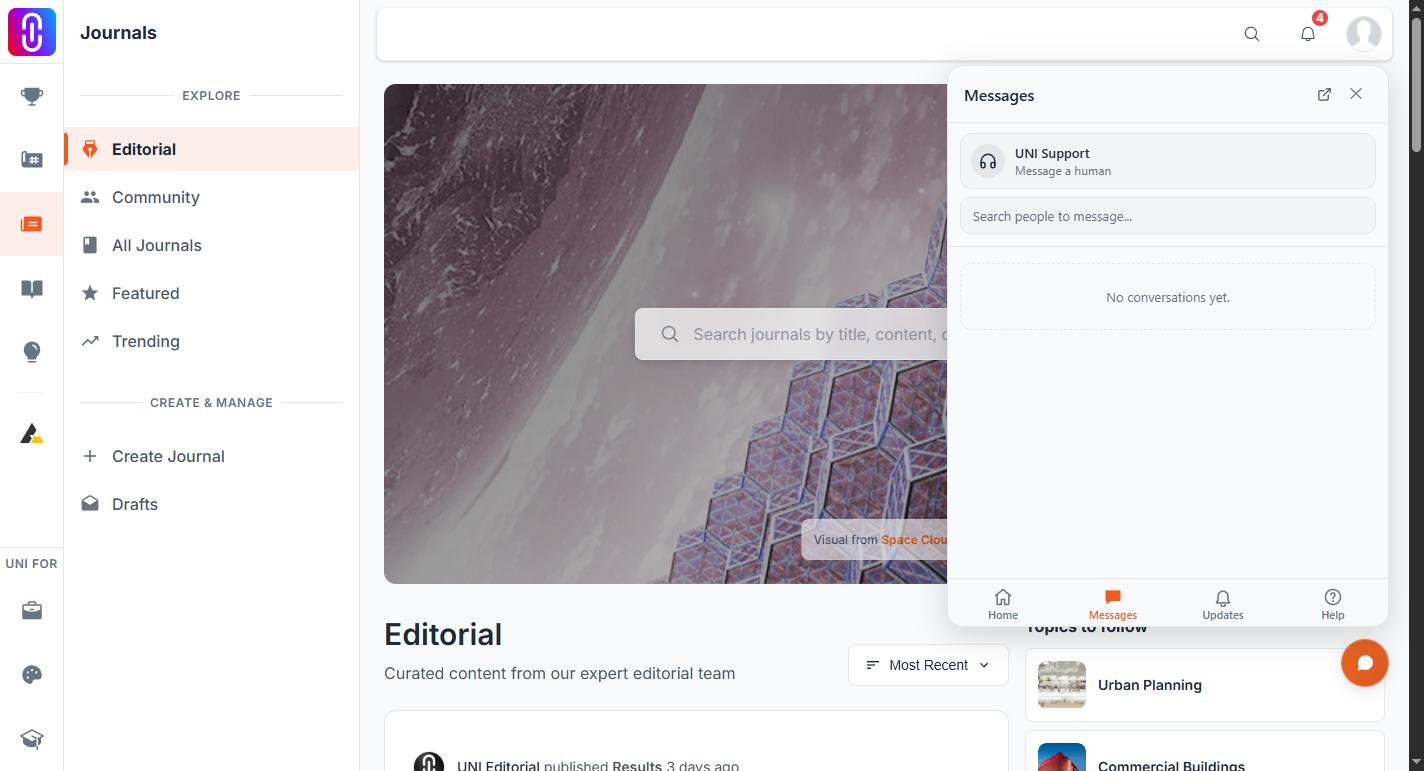
- Select the chat launcher in the bottom right corner of any page.
- Go to the Messages tab.
- Select UNI Support, the pinned row at the top labelled Message a human.
- Type what you need and send it.
This works for every signed in member. It does not need a membership, and it does not need anyone to follow you back. Replies land in the same thread, and the launcher shows an unread badge when one arrives.
The assistant can also open that thread for you. If you tell it you want a person, it opens the conversation and gives you the link. You do not need to be signed in for this: chatting as a guest, the assistant already has the email address you gave to start the chat, so it emails your conversation to the team instead of opening a thread, and they reply to that email address. You never need to email contact@uni.xyz yourself or give your email twice.
When a person is the right channel
Use human support for account access, payments and incorrect charges, refunds, content and copyright disputes, and anything tied to your specific account that the assistant cannot settle.
Feedback is not support
If you tell the assistant about a bug, something confusing, or a feature you want, it records that for the team to read. Nobody replies to feedback recorded that way, because it is a note rather than a conversation. If you need an answer, open the UNI Support thread instead.
By email
You can also write to contact@uni.xyz. Include the page you were on, what you expected, and what happened instead, so the team can answer in one reply.