UNI has built in direct messages, so you can write to another member without leaving the platform.
Where to write
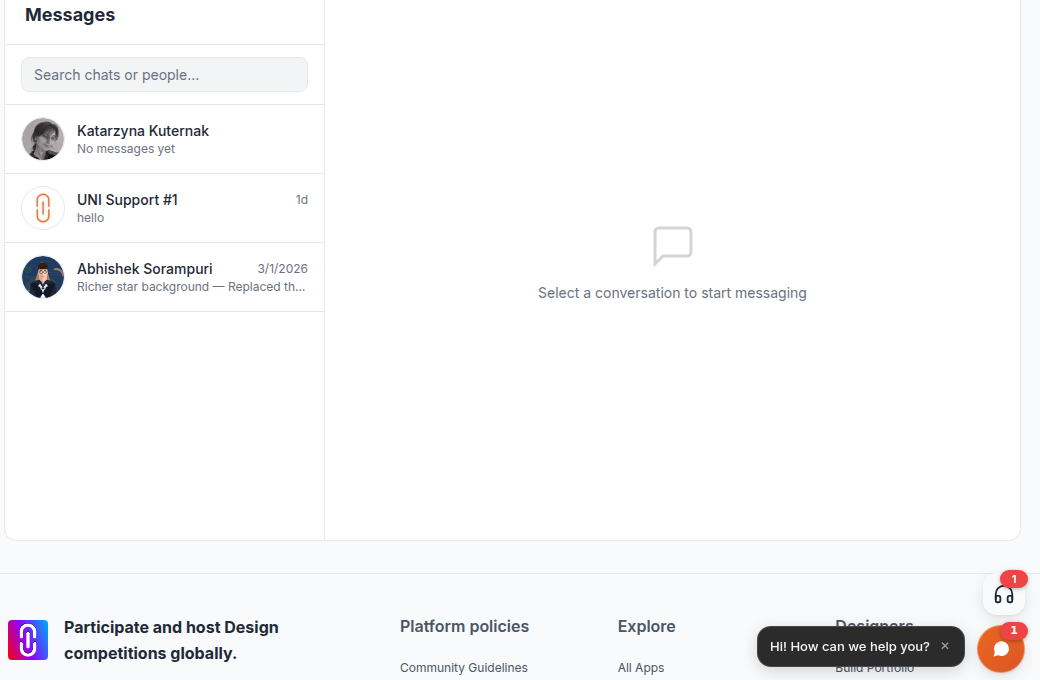
- The chat launcher in the bottom right corner of any page has a Messages tab. Open a conversation there, or start one from the Search people to message box.
- The full Messages page holds the same conversations with a wider composer. Open it with the arrow at the top of the launcher panel.
- On a member's profile, select Message.
Who you can message
To start a new conversation, one of these has to be true:
- you and the other member follow each other,
- you have an active membership on any paid tier, or
- your account is verified.
If none of them applies, the send is refused with "Active membership required to start conversations." Following someone who follows you back unlocks messaging with them at no cost. Once a conversation exists, replying inside it always works.
Members can block a conversation. If someone has blocked you, you cannot message them, and they do not show up in the people search.
Anonymous visitors cannot use direct messages, so sign in first. The assistant in the launcher still works without signing in.
Formatting
The composer on the full Messages page has bold, italic, underline and bullet buttons, and pasting from a document keeps that formatting rather than flattening it. The composer inside the launcher sends plain text. Messages are limited to 5,000 characters.
Attachments
You can attach files from the launcher and from the full Messages page.
- Up to 5 files per message.
- Up to 25 MB per file.
- Images appear inside the conversation. Everything else arrives as a download.
- Programs, scripts and web page files are refused, including .exe, .sh, .js, .html and .svg.
- Attachment links are private and signed, and they stop working about 30 minutes after the conversation loads. Reopen the conversation for a fresh link. A link you copied and sent to someone else will not keep working.
Editing and deleting
You can edit a message you sent for 5 minutes after sending it. After that the edit is refused. You can delete your own message at any time, and it then reads as deleted for both of you.
Translating a message
Every message bubble — yours or the other person's — has a small Translate control. Select it and a machine translation appears underneath the original, labelled with the language it detected; Show original collapses it again. The original text is never replaced, and translation happens one message at a time rather than for the whole conversation at once.
It translates into your browser's language by default, falling back to English. If the translator is unavailable, the bubble says so and invites you to try again; nothing about the original message changes. This works the same way in a support conversation with UNI Support.
Replies and reminders
Replies arrive in the conversation straight away and the launcher shows an unread badge. If you leave messages unread, UNI emails you a reminder: once the message has sat unread for an hour, then weekly for four weeks, then monthly, and then it stops.
Talking to the UNI team instead
Support is not an ordinary DM. The Messages tab pins UNI Support at the top, labelled Message a human, and it works for every signed in member with no follow or membership requirement. Use it for account and billing questions rather than messaging another member. See How to reach human support.
Related
- To reach a project's author about their work, you can also comment on the project itself.
- How to find and search for other members