Adding a tag never creates a topic, and it never will, no matter how many people use the same word. A tag and a topic are two different things that happen to look alike. A tag is a free label typed onto a piece of work. A topic is a page UNI builds and maintains, with its own cover, description and tabs for the projects, journals, publications, competitions and discussions filed under it. Topics are created by the UNI team one at a time, by hand. Nothing you tag graduates into one.
There is a second surprise waiting in this question, and it is the one that usually settles it: a project on UNI has no free tag field at all. What you choose on a project are disciplines, and a discipline already is a topic.
Disciplines are how your project reaches a topic page
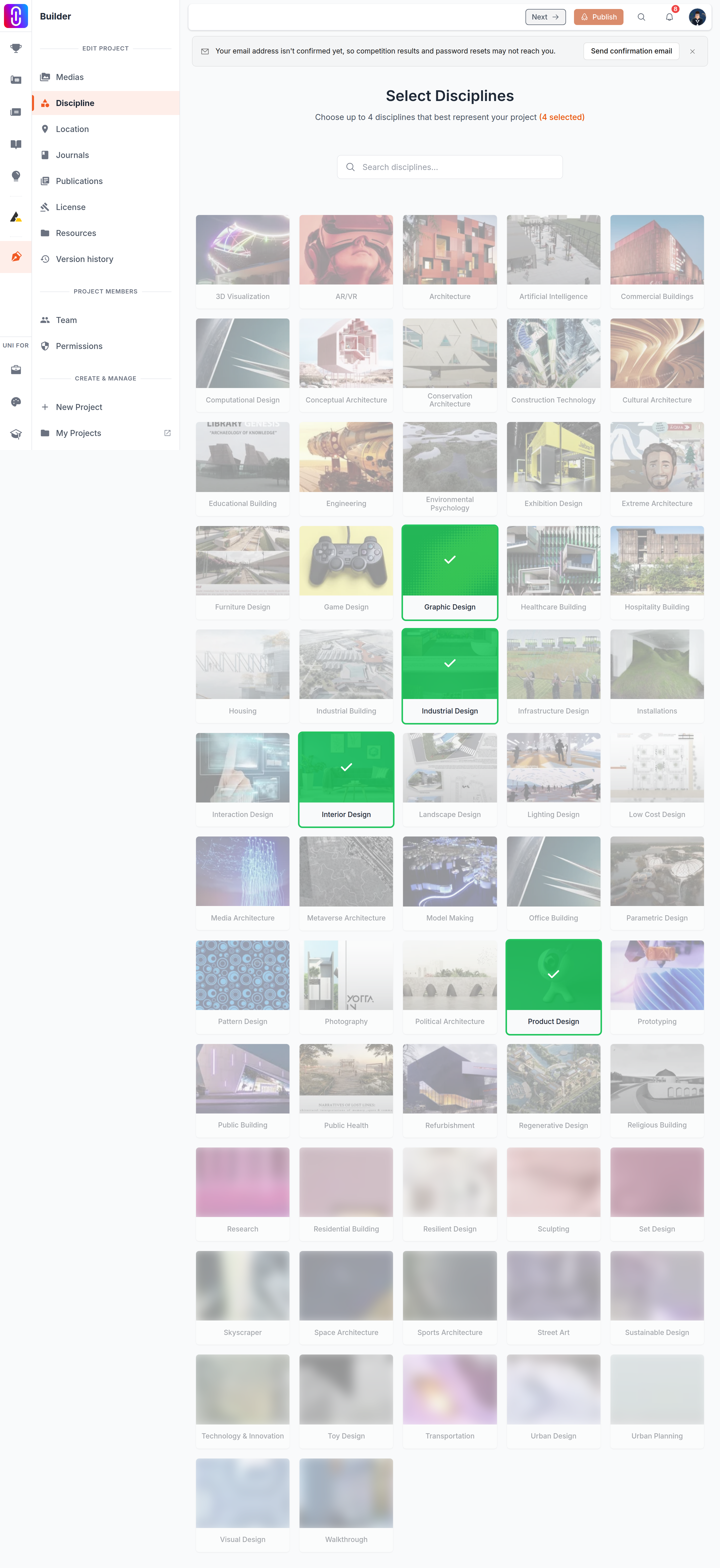
In the builder, the step headed Select Disciplines asks you to choose up to four disciplines that best represent your project, from a fixed list UNI maintains. Every one of those is a topic with its own page. Choosing one is what puts your project on that topic's Projects tab, and on the published project page each discipline is shown as a link straight to it.
This is not optional. A project with no discipline cannot be published, so if your project is live it already sits on at least one topic page. If you cannot find your work under a subject, the thing to change is the discipline, not the tags. Open the project in the builder, revisit that step, and pick the nearest fit. The list is short and hand-kept, so the nearest fit is often the right answer rather than a compromise.
Where free tags do exist, and what they are for
Free tags are attached to smaller things: the position a team member held on a project, and the degrees and fields on your profile. Each one you type is stored as a label of its own, even when the same word has been typed by thousands of members before you. They help searching and matching. They do not place your work anywhere, and they are never candidates to become topics.
That is also why a tag reading "Architecture" is not connected to the Architecture topic. A topic is joined by hand to particular tag records, not to a spelling.
Asking for a topic to be created
There is no form for it and no threshold that triggers one automatically. Write to us with the name you want, what it would cover, and which work would sit under it. Not every request becomes a topic. A topic is only worth having when there is enough work behind it to fill its tabs, so a subject with a handful of projects is usually pointed back at an existing discipline instead.
Before you go hunting for a topic
Two things are worth knowing first. uni.xyz/topic/all has a Search topics box and a Browse all topics A-Z directory of every topic that has work or discussion filed under it. A topic with nothing filed under it yet has a page but does not appear in the directory. And following a topic does not filter what you read, while the Follow button on a topic's own page currently fails: see what following a topic actually does before you spend time on it.