You change the address on your account by adding the new one, confirming it, and making it primary. There is no email field to type over.
If you can still sign in
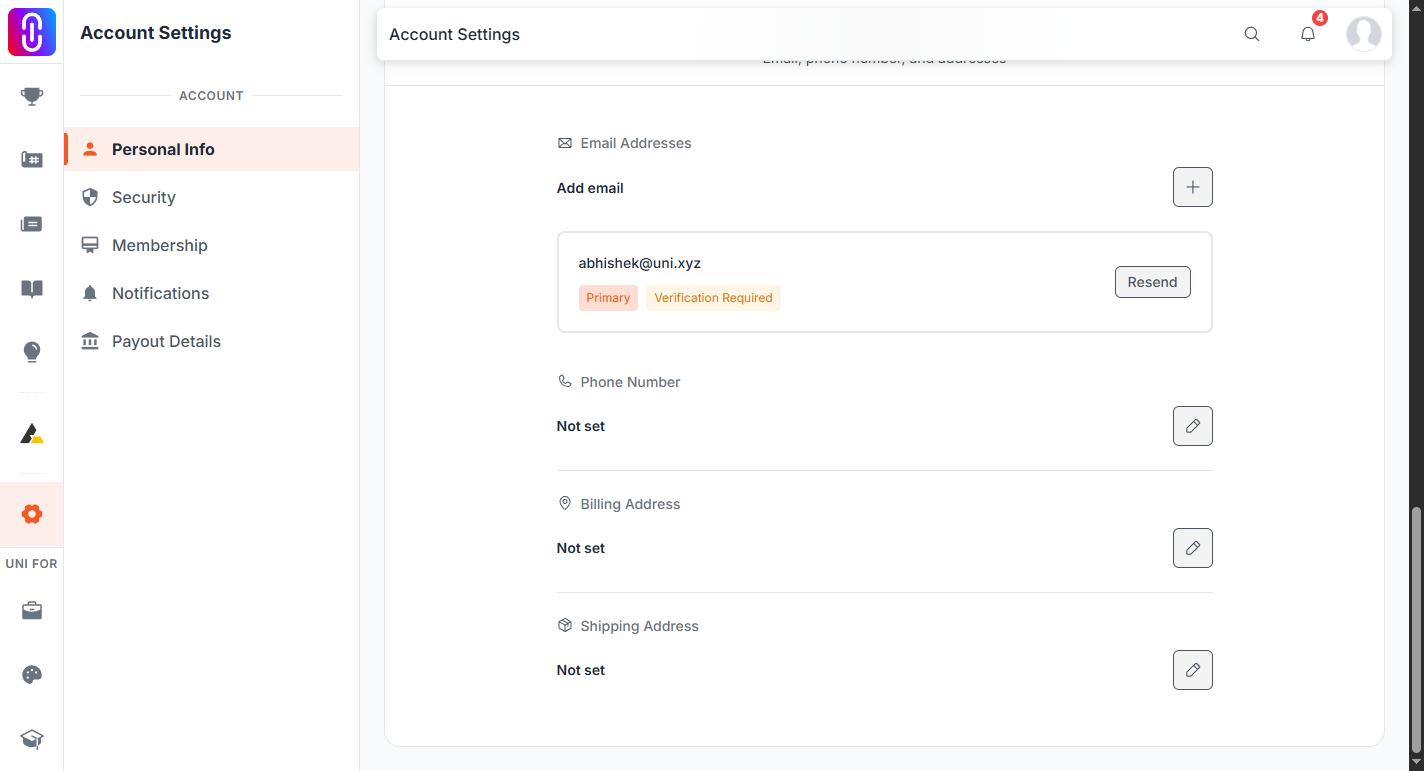
- Go to uni.xyz/accounts/settings/personal-info (account menu, then Settings, then Personal Info).
- In the contact section, choose Add email and enter the new address. A confirmation link is sent to it straight away.
 3. Open that link. If it does not arrive, check spam, then use Resend next to the address. Confirmation links are valid for 3 days.
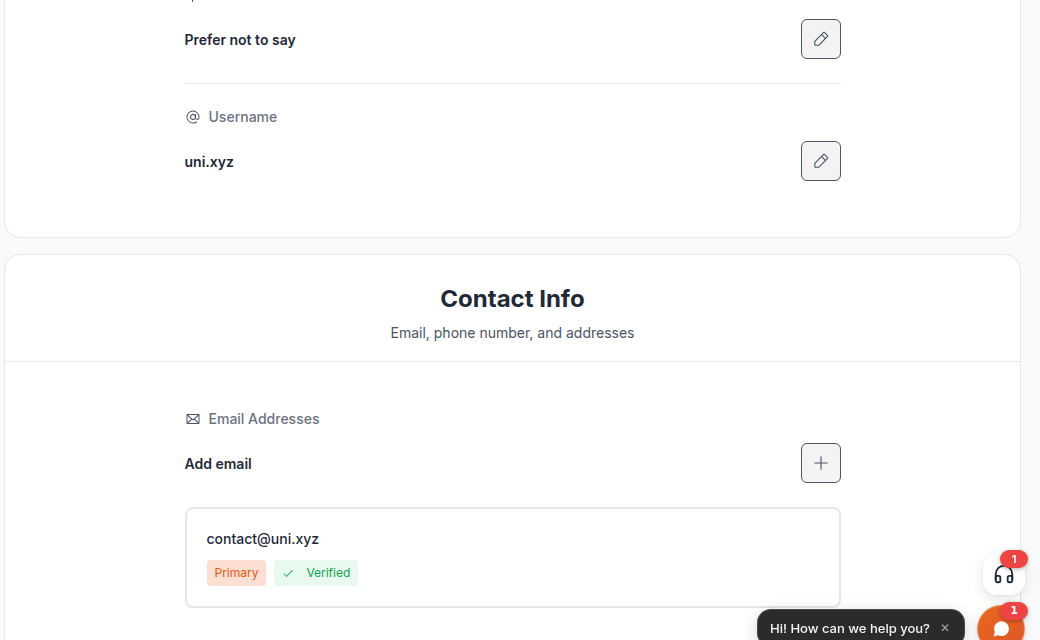
4. When the address shows Verified, choose Make Primary on it. That is the moment the account's address changes, and a notice is sent to the old address so a change nobody asked for does not go unnoticed.
5. Delete the old address with the bin icon if you no longer want it listed.
3. Open that link. If it does not arrive, check spam, then use Resend next to the address. Confirmation links are valid for 3 days.
4. When the address shows Verified, choose Make Primary on it. That is the moment the account's address changes, and a notice is sent to the old address so a change nobody asked for does not go unnoticed.
5. Delete the old address with the bin icon if you no longer want it listed.
The order matters: an unverified address cannot be made primary, and the primary address cannot be deleted. An address that is already registered to another account cannot be added at all.
None of this needs a membership. It works the same on a free account and a paid one.
If you have lost access to the old address
If you can no longer sign in, this stops being a settings change. The address on an account is also how the account is recovered, so moving it is an identity change and the team has to confirm you are the owner first.
Contact the UNI team with details only the owner would have, such as the username, projects on the account, or a payment on it, and they can complete the change. Do not create a second account under the new address in the meantime, because the two cannot be merged.
Names, usernames and special characters
Your username accepts only letters, numbers, dots, underscores and dashes. Anything else, including accents and non-Latin scripts, is stripped out when the account is saved, so a username will not keep those characters.
Your first and last name are not restricted in that way. If a save fails and you think the characters in your name are the cause, tell the team exactly what you typed and what you saw, rather than rewriting your own name to get around it, which would leave the wrong name on the account.