Three of the items in a competition's navigation are not part of the competition at all. They are links out to other pages on UNI, and one of them appears precisely because the competition has nothing to show. That is the answer to Become a Partner: it is shown when the competition has no partners listed, in place of a Partners page, and it goes to the page about partnering with UNI in general.
Knowing which items are content and which are links saves you looking for information that was never on that competition.
The items that are the competition
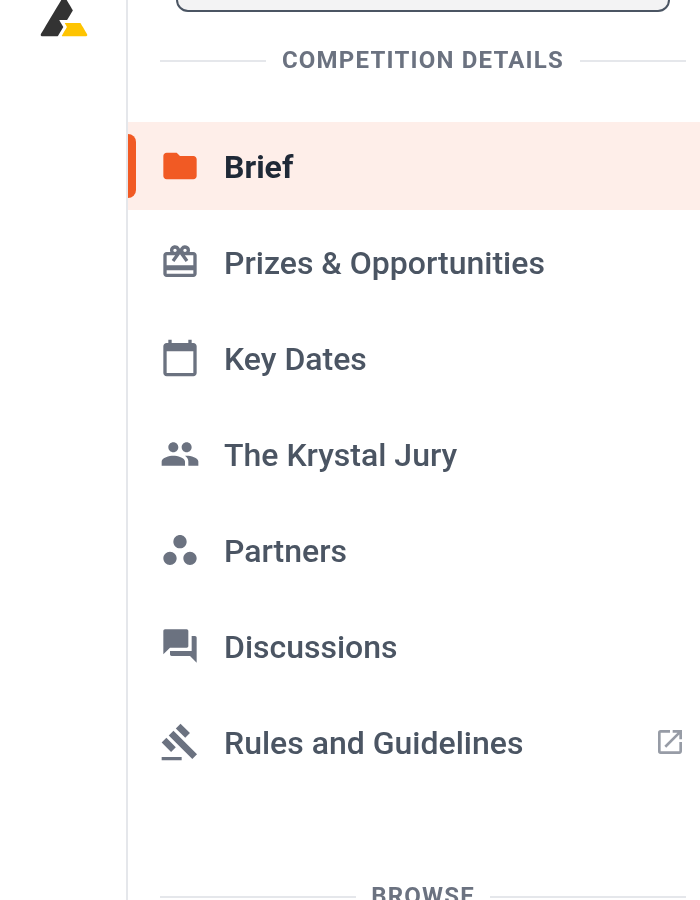
These are drawn from what the organizer filled in, so a competition only has the ones it has:
- Brief. The competition itself. Always present, sometimes split across several pages.
- Grants and Awards & Fees. What is being awarded, and what registration costs at each stage.
- Schedule. The dates.
- Jurors. Who is judging.
- Partners. Organizations backing this competition.
- Discussion. Questions and answers on the competition.
- Entries and Leaderboard. These two appear only once entries exist and a shortlist or results date has passed, which Why a competition has no Entries or Leaderboard tab yet explains.
The items that leave the competition
- Become a Partner replaces Partners when no partners are listed. It is an invitation to partner with UNI, not information about this competition.
- Jurors does the same thing in one situation: when a jury section exists but no jurors have been named on it, the item points at UNI's general jurors page instead. Why a competition's Jurors page can be empty covers that case.
- Rules & Guidelines is always a link out, and it currently points at a retired address that fails to load. Read Master Guide to UNI Competitions instead.
Additional Resources appears only when the competition has extra material. If you are not eligible for it, the item is greyed out rather than hidden, and selecting it tells you so.