A competition's brief is often more than one page, and the Brief link opens only the first of them. The rest are listed underneath it, and it is entirely possible to read what looks like the whole brief and never see the page holding the rules or the submission requirements.
Check the Brief section for a list
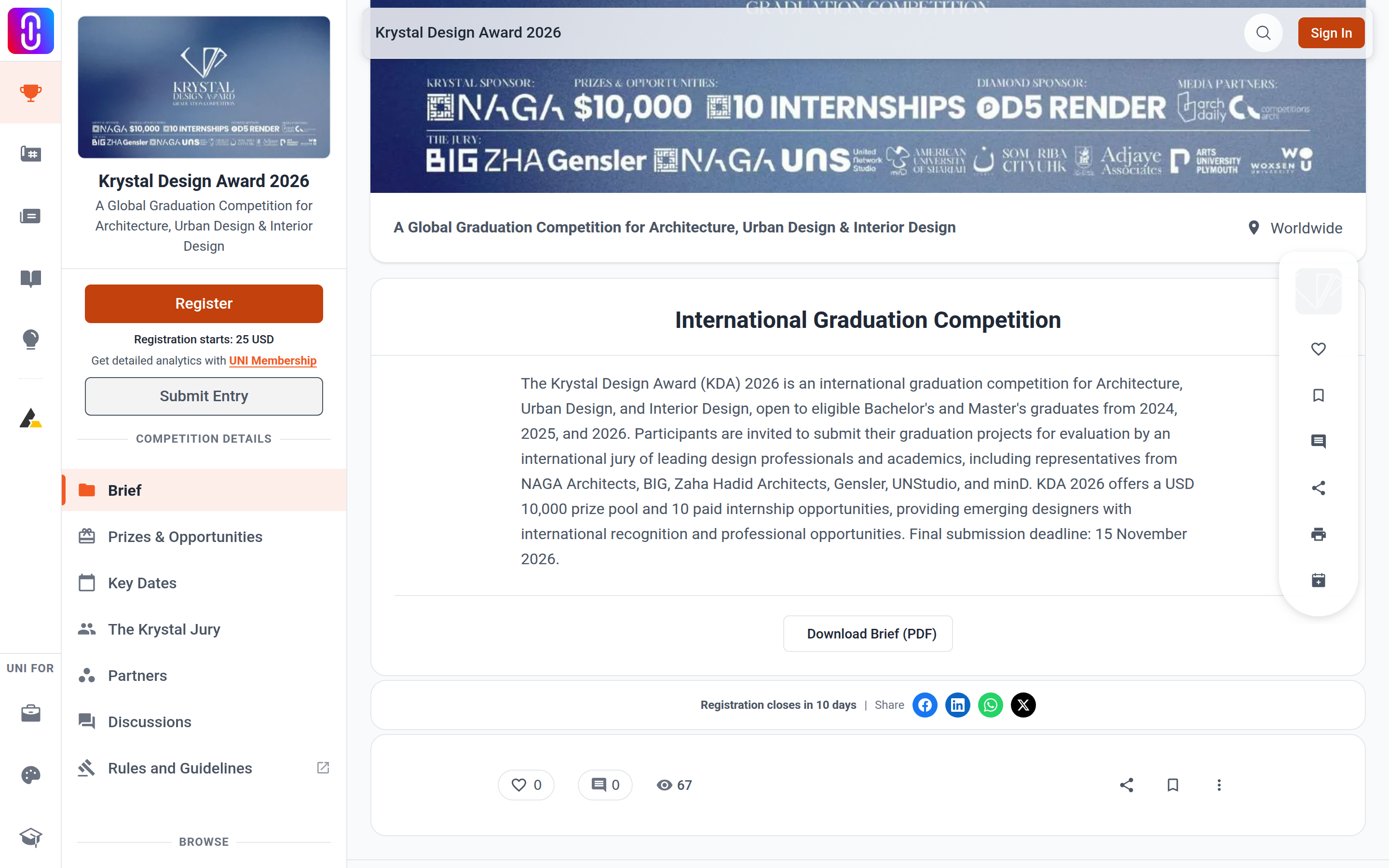

On a wide screen, Brief in the left sidebar expands into a list of its pages when a competition has more than one. It opens expanded, so if you see child entries under Brief, each one is a page you have not read yet.
On a narrow screen, Brief is one of the tabs across the top and carries a small number beside it when there is more than one page. Select the tab and a strip of the page names appears below it.
If Brief shows no list and no number, that competition's brief really is one page.
The page that opens first is not always the first one listed
The Brief link opens the page the competition itself puts first, while the list underneath is sorted alphabetically. Those two orders rarely agree. So the page you land on may sit in the middle of the list, and the entry at the top of the list is not necessarily the one you have already read. Go through them by name rather than by position.
The pages you are most likely to be missing
Names vary by competition, and organisers write their own. In practice the extra pages are usually one of these.
- Rules. Eligibility, team size, what is and is not permitted. The most common second page by a wide margin.
- Guidelines. How the work should be presented.
- Requirements. Sheet sizes, file formats, naming, what must be included in the submission.
- Judging criteria. What the jury is asked to score against.
- FAQ. Answers the organiser has already given to other entrants.
Anything scored, restricted or required is more likely to be on one of these pages than on the opening one. Read all of them before you start, not the night before the deadline.
Reading the brief offline
Every brief page can be printed or saved as a PDF from your browser, and that is the reliable way to have the whole thing in front of you while you work. Download a competition brief as a PDF covers how, and note that you print each page separately: there is no single file containing all of them.
If a page will not open
Select the page from the Brief list rather than editing the address. Page names are set by the organiser and are not predictable, so a guessed address will not resolve.