You need to be a Super Admin or Admin to remove someone
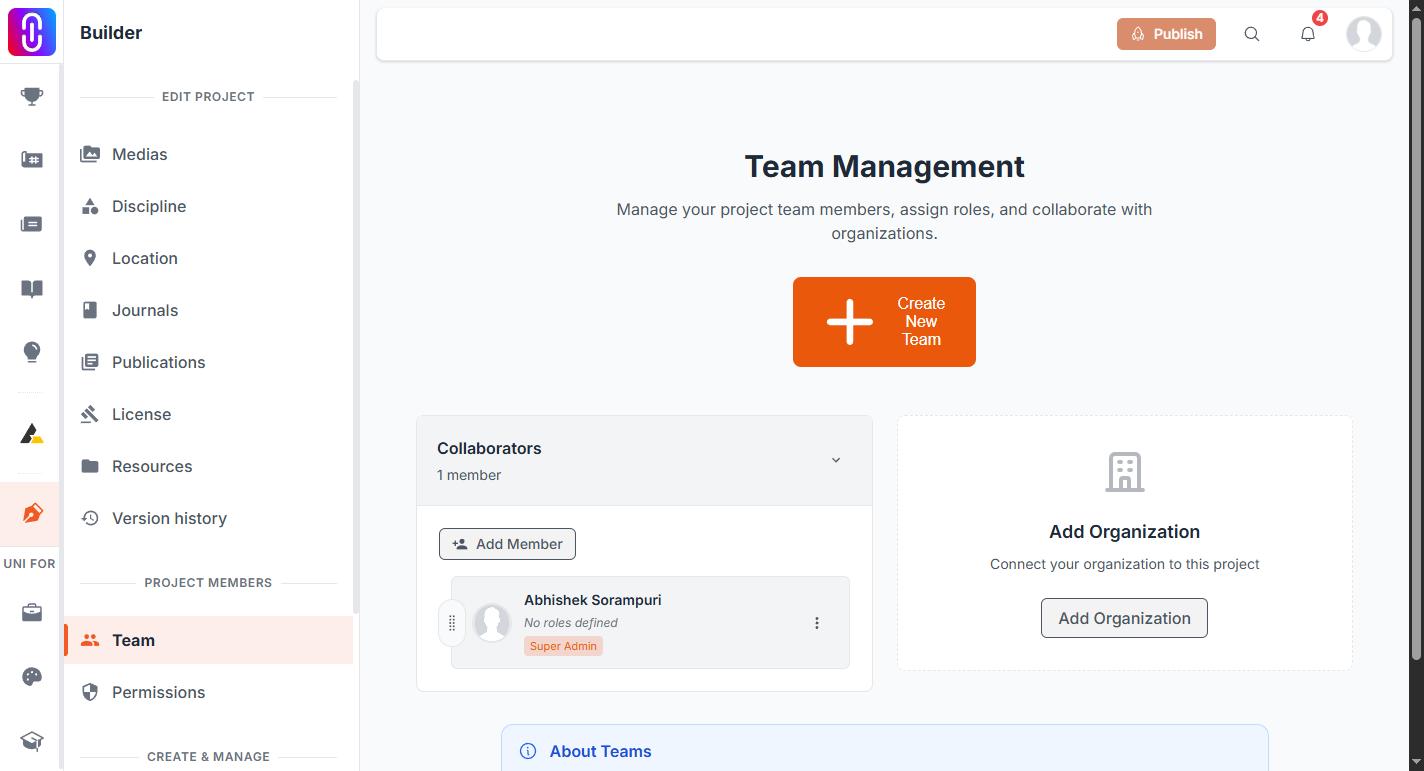
Only members holding the Super Admin or Admin role can remove another collaborator from a project team. If your role is Manager or Team Member, you can see the team but you cannot remove anyone from it, and the remove option will not go through for you.
Their work stays on the project
Removing someone from the team does not touch anything they built. Uploaded media, project content and any files they added are tied to their own user account, not to their team membership, so none of it is deleted or unlinked when you remove them. What changes is who has editing access to the project, not what is on it.
They are notified in the app, not by email
Removing a collaborator sends them an in-app notification telling them they were removed from the project. UNI does not email them about it. If you want the person to know before they come across the notification themselves, tell them directly.
The change is live immediately
Removing a team member takes effect the moment you confirm it. It does not wait for a publish step, and it applies straight away to the version of the project everyone else sees.
You cannot remove the last person, or the only Super Admin
A project always needs at least one member, so if the person you are trying to remove is the only one left, the removal is blocked. The same protection covers the Super Admin role specifically: if they are the project's only Super Admin, you need to promote someone else to Super Admin first, or the removal will not go through.
Leaving a project yourself
Taking yourself off a project depends on your role. If you are an Admin or Super Admin you can remove yourself from the team panel. If you are a Manager or a Team Member you cannot: the control is not offered to you, and the request is refused even if it is sent. Ask an admin on the project to remove you. The last Super Admin cannot leave either, because a project cannot be left with nobody able to administer it. Pressing Leave returns "You are the only super admin on this project" and asks you to promote another member first. Give someone else Super Admin from the team panel, then leave.
A competition entry is not affected
If the project has already been submitted to a competition, removing a collaborator does not change the entry itself. It stays owned by whoever submitted it and keeps moving through moderation, jury evaluation and results as before. What can change is who gets credited by name if the entry's certificate has not been generated yet, since a certificate lists the team as it stands at the time it is produced.