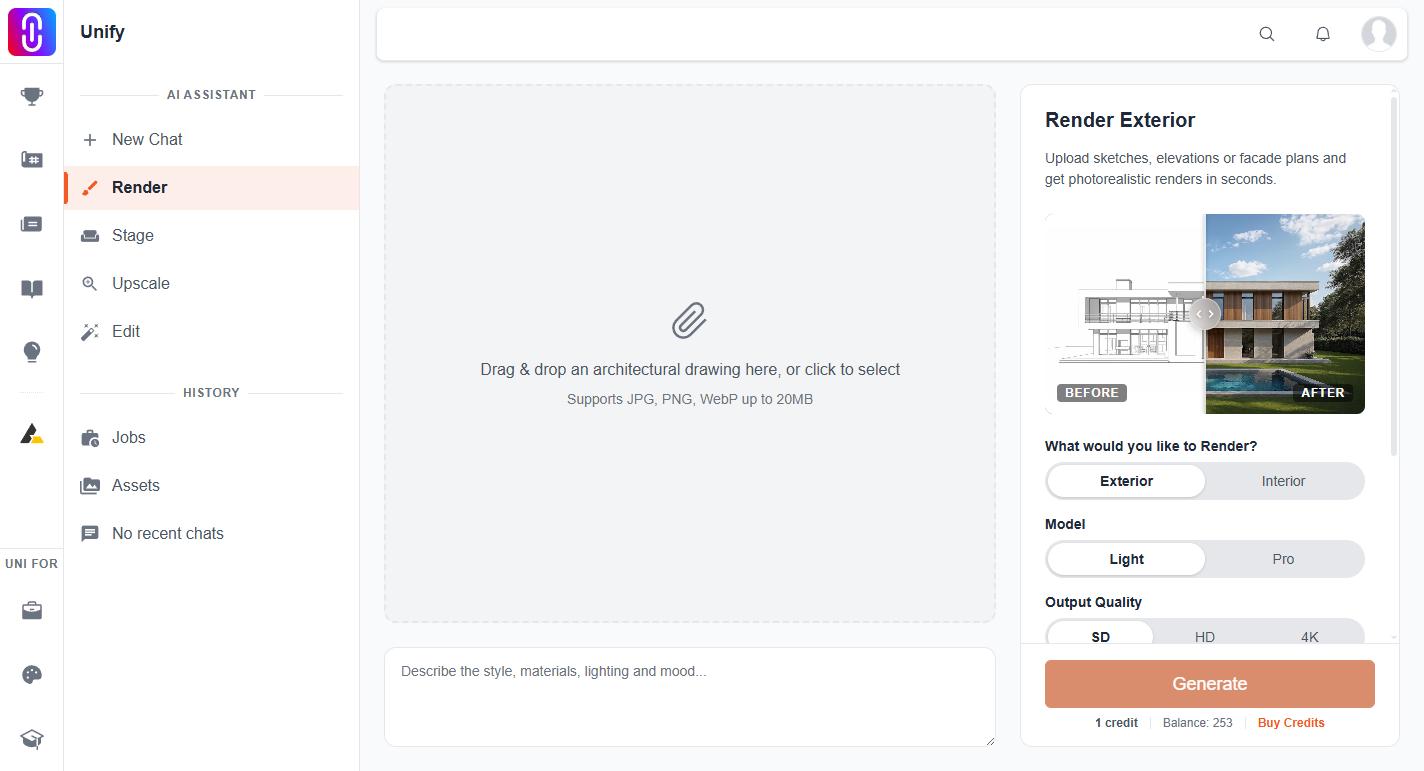
Your credit balance is printed on the Render page at uni.xyz/unify/render, beside the Generate button and labelled "Balance". The Stage, Upscale and Edit pages show the same figure in the same place, next to the cost of the run you are about to start. That number is the whole answer: there is no separate credits screen.
The assistant cannot tell you the figure. It has no tool that reads your balance, and it is instructed never to state a money number it has not been given, so it will send you to the Render page rather than guess. That is deliberate, not a limitation of your plan.
What the number adds up
The balance is everything unexpired that you have, minus everything you have spent:
- 3 free credits, granted once per account. Not three a day and not three a month.
- Your membership allocation, added when a membership payment completes: Weekly 7, Monthly 25, Semester 150, Annual 250, Studio 750, Institutional 2500.
- Any credit pack you bought, from 50 credits at $5 upward. Buying a pack needs an active membership.
A membership adds its credits once per purchase
The allocation lands when the payment goes through, not monthly and not on a schedule. Renewing buys another period and another full allocation, which becomes available as soon as the payment completes. Nothing tops up in between, so a heavy month can empty the balance before the period ends. That is what credit packs are for.
Unused membership credits do not carry over
Credits that came with a membership expire with the period that granted them. Whatever is left on the day that period ends stops counting toward your balance, and it does not roll into the next cycle or get added to a renewal. Two kinds never expire: your one-time 3 free credits, and anything you bought as a pack.
Spending is ordered to protect you here. Credits are always spent soonest-to-expire first, so your membership allocation is drawn down before your purchased pack is touched, and expiry costs you as little as it can. Renewing before your current period ends is the way to lose nothing: the new allocation is usable straight away while the old one is still live.
Two things the balance does not cover
Renders you ask the assistant for in chat are free each day before they touch credits, and the tool pages are not. That distinction, and the fact that a failed image is not refunded while a failed video is, is covered in renders in chat are free, the Render page is not.