Every message you send carries a tick beside its timestamp, and that tick is a read receipt. One tick means sent. Two ticks mean it has been read, and once it has, the exact time appears next to it as Read 2 hours ago. Hovering the tick spells it out: either "Sent, not read yet" or "Read" with the time.
Receipts run in both directions and there is no setting to turn them off. If you can see whether your message was read, the other person can see the same about theirs.
What marks a message read
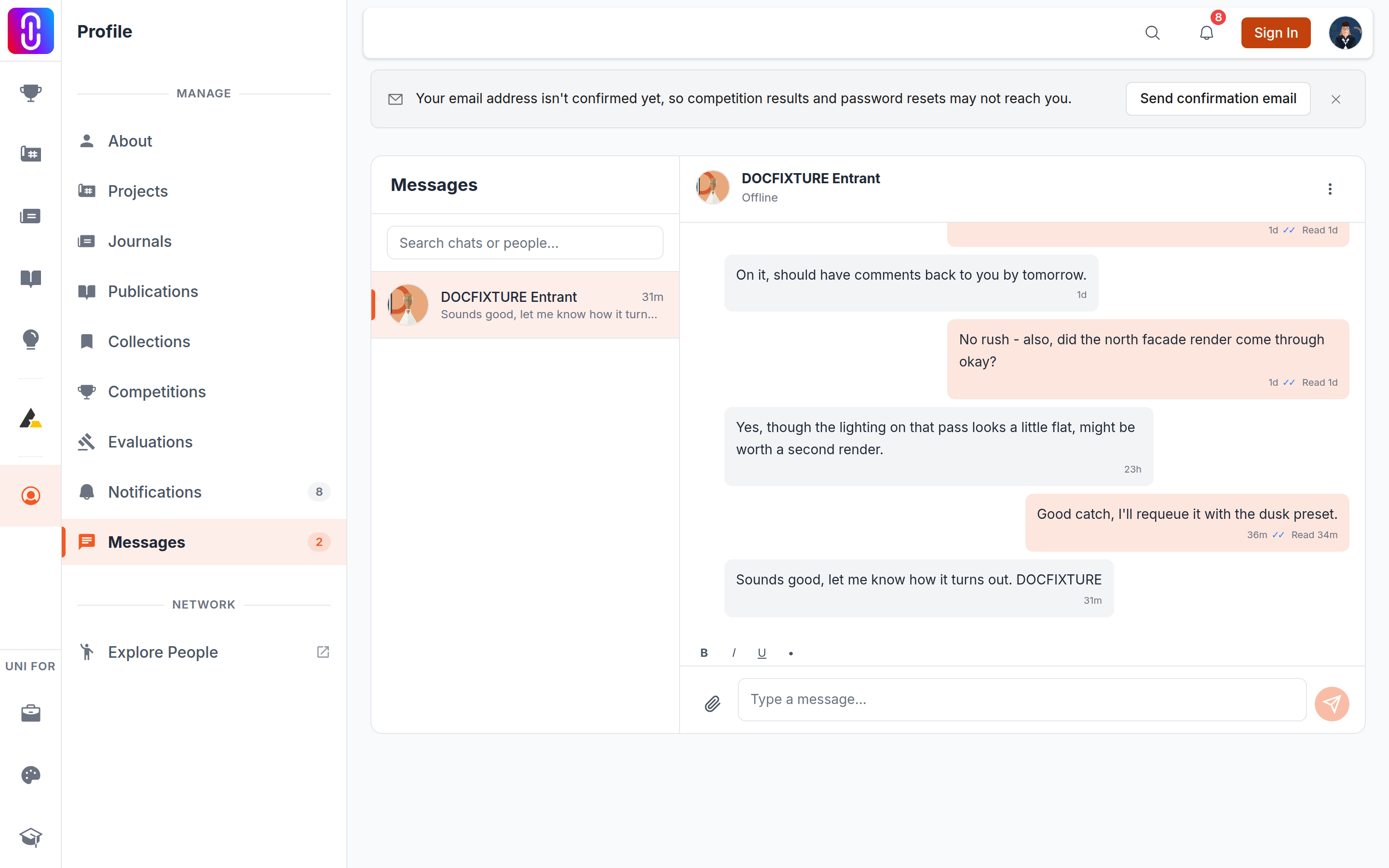
A message becomes read when the other person opens the conversation. Not when a notification arrives, not when they see it in their list, only when the thread is open in front of them.
One other action does it too: reacting to a message marks it read, because a reaction is proof it was seen. See reacting to a message.
So a message that has stayed on one tick has not been opened. That is genuinely all it tells you. It does not distinguish between not noticed, noticed and left for later, and read on a phone lock screen without opening the app.
The dot and the status line at the top
Above the conversation, beside the other person's name, sits a live status:
- A green dot on their avatar, and Online, while they have UNI open.
- typing... while they are actually typing to you, which clears a few seconds after they stop.
- Offline the rest of the time.
Both of these are live, both are visible to them about you on the same terms, and neither can be switched off. It is worth knowing this before you open a thread you are not ready to answer: opening it marks everything in it read, and the other person can see you are online while you do it.
If you want to read a message without acknowledging it, read it from the notification and do not open the conversation.
What you will not see
There is no "last seen" time for ordinary members. If the other person is offline, the header says Offline and nothing more. A last active time is shown only to the UNI team on support threads, so that a reply to somebody who has not signed in for a year can be handled differently from one to somebody who is here today.
When a tick looks wrong
Ticks arrive over the live connection, so a conversation left open on a laptop that went to sleep can show stale ticks until you reload. Refresh before concluding that a message has not been read. If the whole thread stops updating, that is the connection rather than the receipts.