Everything we ship is written up at uni.xyz/updates. It is the page to check before asking whether something has been fixed, and it is where new features are announced first.
The only link to it sits in the footer of every page, under Platform Updates. There is no entry in the navigation, which is why most members never find it.
What is on the page
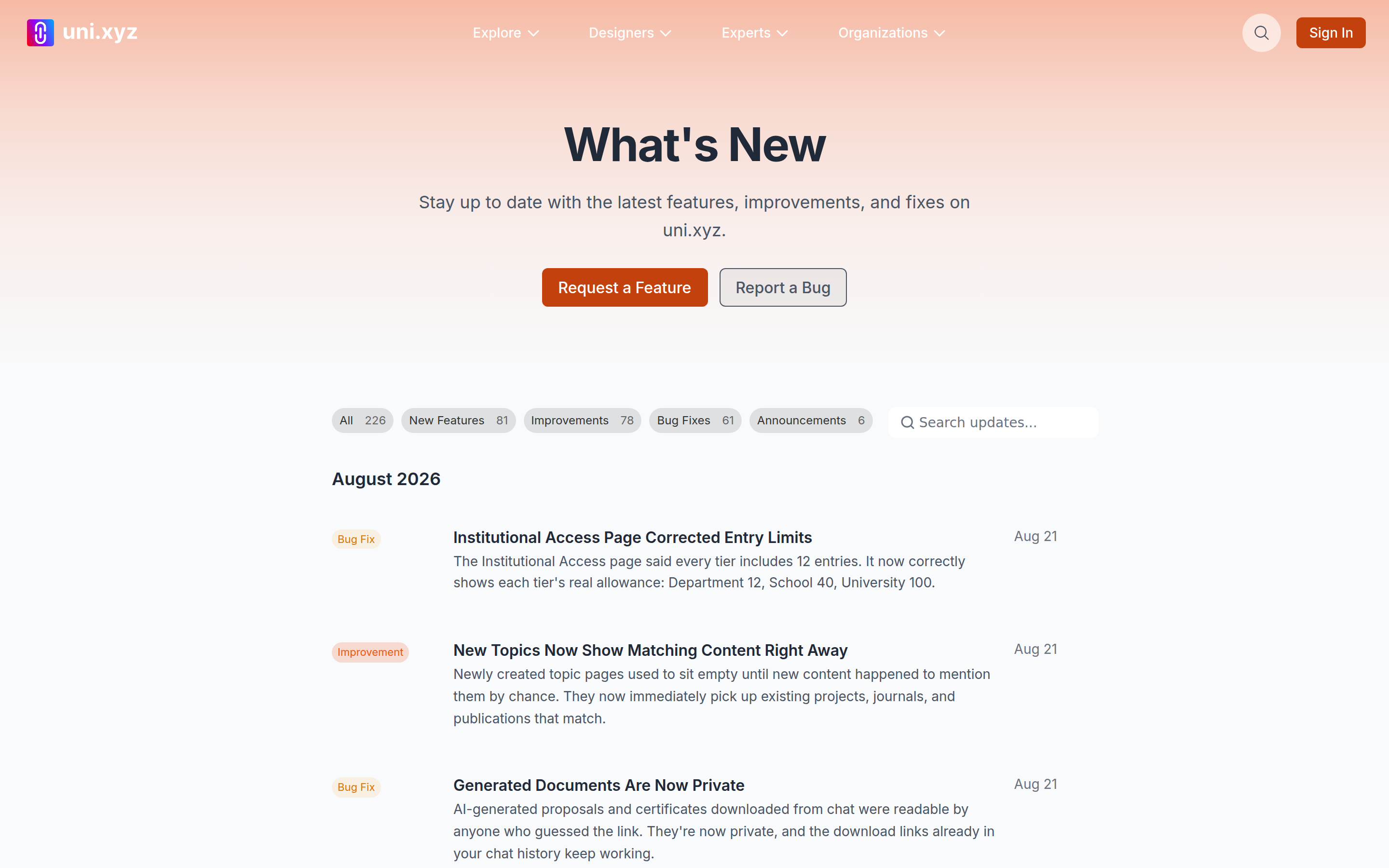
Updates are grouped by month, newest first, and each one is filed under one of four labels: New Feature, Improvement, Bug Fix or Announcement. The chips at the top switch between them and carry the number of entries in each, so you can read only the fixes if that is what you came for.
A few entries are marked as featured. Those carry a cover image, a longer write-up and sometimes a link out to a journal piece or to the feature itself. The rest are a title and a couple of lines, which is usually all a change needs.
Search reads the headline, not the whole entry
The search box matches the title and the short summary of each update. It does not read the longer text inside a featured entry. A word that appears only in the body of a write-up will return nothing, so search for the name of the thing that changed rather than for a phrase you remember from inside it.
Search and the category chips work together, and both restart the list from the top.
Load More rather than pages
The list loads in blocks and the button at the bottom adds the next one. There are no page numbers, so working back through a year means pressing it a few times. Changing the category or the search resets you to the first block.
The record starts in early 2026. Nothing older than that was written up here, so an absence from this page is not proof that something never changed.
Individual updates do not have their own address
You can link to the updates page, but not to one entry on it. There is no separate page per update, so to point someone at a specific change, name it and let them search the title. Where a featured update carries a Learn more link, that link is the thing to share.
The page can lag by a few minutes
The list and the counts are held briefly after they are built, so an update posted moments ago can take a few minutes to appear, and the number on a chip can be a step behind the list underneath it. Reload after a minute rather than assuming something was pulled.
Reporting something that is not there
The two buttons at the top of the page open the contact form with the category already chosen, one for a feature request and one for a bug report. Use those rather than the general form: the category decides who reads it.