Yes. Your entry's Analytics page shows every juror score your entry received, criterion by criterion, together with any written remark the juror left with that score. It is not one average handed down at the end. Each juror's score is listed on its own, and it appears as soon as that juror saves it.
Where to find it
- Open your profile and go to Competitions.
- Find the entry and select Analytics on its card. It opens in a new tab.
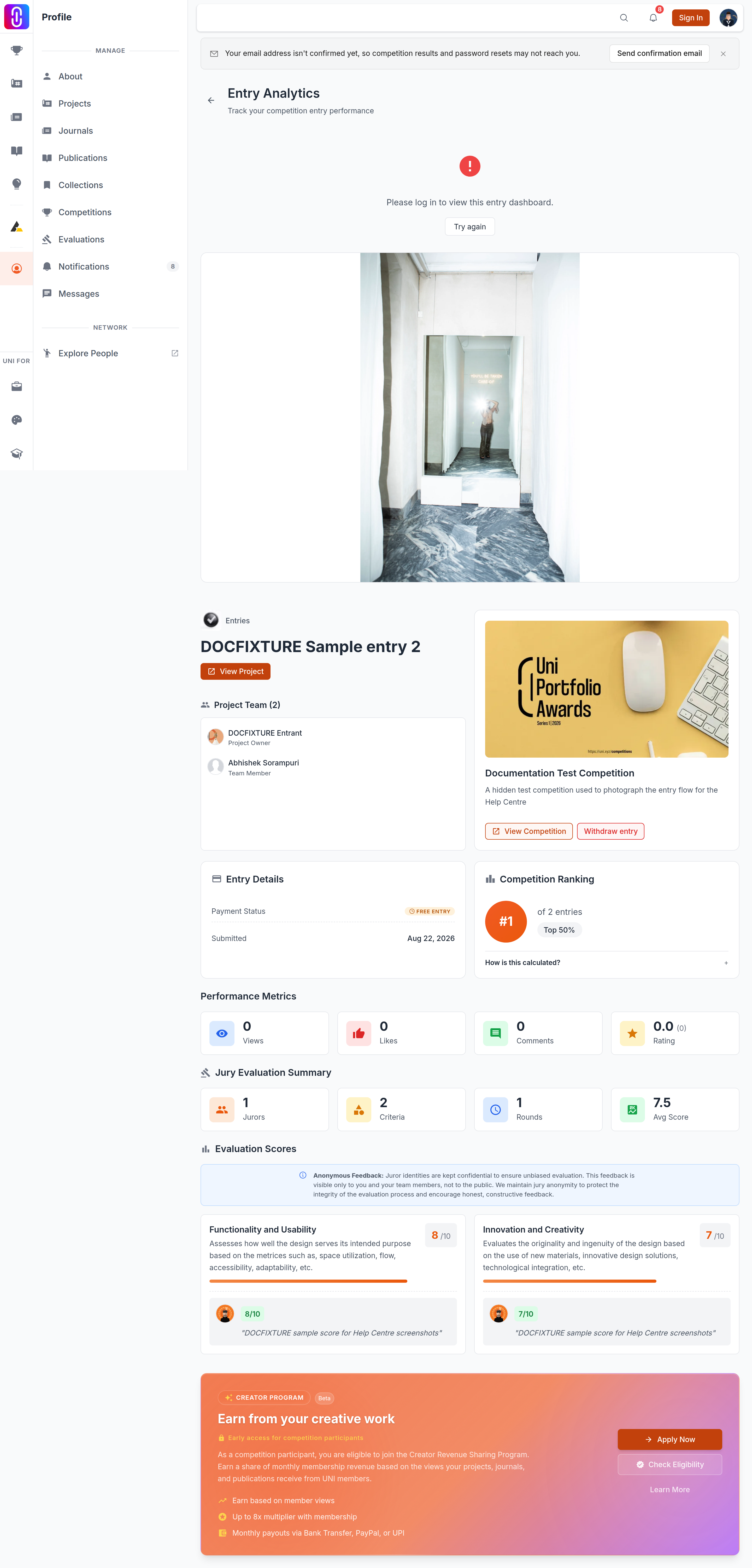
- Scroll to Evaluation Scores.
The Analytics button appears on an entry card once that competition's submission deadline has passed and the entry has work attached to it: a project, a publication or a journal. You need to be signed in as the entry's owner or as a member of its team.
What the panel shows
Every criterion the jury scored you on gets its own card. The card carries the criterion's name and description, the average of the scores given for it, and then one row for each juror who scored it. A row shows that juror's score out of the criterion's maximum and, underneath, their remark in quotation marks if they wrote one.
Above the cards, Jury Evaluation Summary counts the jurors who scored your entry, the criteria they scored it on, the evaluation rounds involved, and the average across all of your scores.
Scores arrive one at a time, and they can still move
Nothing is released in a batch. A score becomes visible on your page the moment the juror saves it, so a panel that is only partly filled in is normal while evaluation is still running. It means some of the panel has scored your entry and some has not reached it yet. Jurors can also revise a score up to their round's evaluation deadline, so a number you read one day can read differently the next.
An empty panel is not a bad result
If no juror has scored your entry yet, Evaluation Scores and Jury Evaluation Summary do not appear on the page at all. Their absence means nothing has been recorded, not that something was recorded and was poor. The rest of the page still loads, because views and likes come from public engagement rather than from the jury.
Most scores come without a remark
A remark is optional for the juror and capped at 1,000 characters. Most scores do not carry one. A score sitting on its own with no comment under it is the ordinary case, and it is not a sign that the juror had nothing good to say about the work.
You will not see which juror gave which score
Each juror is shown as Juror 1, Juror 2 and so on, never by name. The alias is stable for your entry, so every remark from Juror 2 comes from the same person and you can follow one juror's reasoning across all the criteria. The same juror may be Juror 1 on somebody else's entry.
What you cannot do is match an alias to a person, and the identity is not disclosed on request. Jurors score under anonymity so that the feedback stays candid.
Who else can see your scores
Your scores and remarks are visible to you, to the accepted members of the team on the connected project, and to UNI staff. If the entry is a publication or a journal, its author sees them. Nobody else does. They are not shown on the competition page, in the entries gallery or on the leaderboard.