You can score entries until the end date of the deadline attached to your evaluation round, and that date is printed on the panel itself. The moment it passes, saving a score stops working. Everything you had already saved is kept, including partial scoring. Anything sitting on screen unsaved is lost.
Read the date on your panel
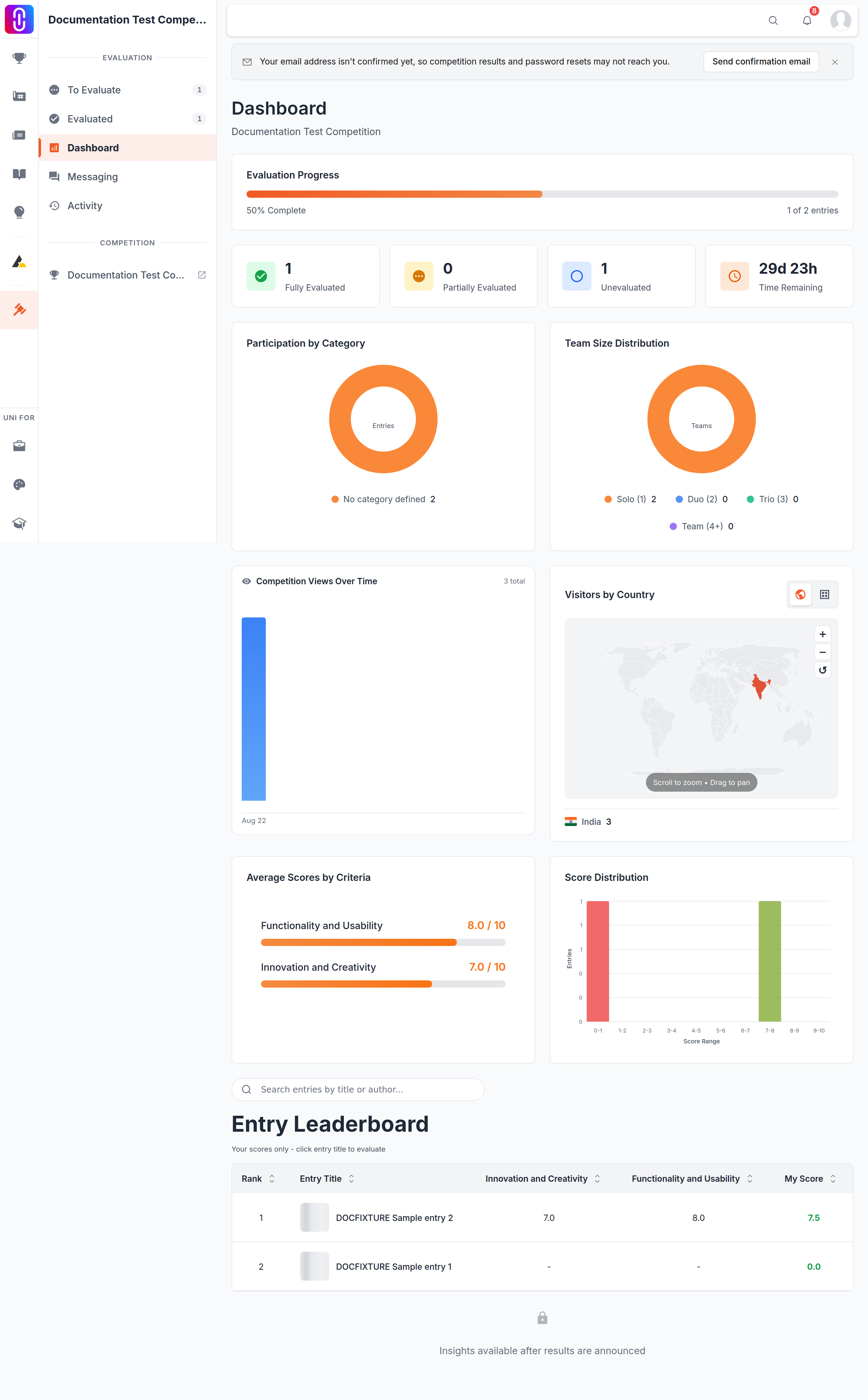
Your cutoff belongs to your evaluation round, and the round carries its own date. Read it where the round shows it to you rather than working from a date you remember.
- Open your profile and select Evaluations in the sidebar. The item appears only if you are a juror on at least one competition.
- Each competition you sit on has a card showing Due and the date, with the number of days left beside it. After the cutoff the card reads Deadline passed.
- Open the panel and the dashboard header shows the same date as a live Time Remaining countdown.
Reminder emails go out roughly three days and roughly one day before a panel closes, and only while you still have entries left to read. Treat them as a nudge. If a date you have in an email and the date on your panel disagree, the panel is the one that is enforced.
Deadlines on uni.xyz are stored and enforced in UTC. What time zone are the deadlines in? explains how to convert one.
There is no grace period
The check compares the stored end date against the current moment with nothing added to it. A second after the cutoff, saving a score fails and the panel tells you why: "The evaluation round has ended. Scoring is no longer allowed."
In the scoring panel the slider and the remark box are disabled, the Save Score button is gone, and the criterion reads Evaluation closed.
Your saved scores survive, including partial ones
Closing a round does not delete or discard anything you saved.
- Every score you saved stays attached to the entry and counts toward the result.
- An entry you scored on some criteria but not all keeps those scores. Incomplete scoring is not thrown away, and the entry stays counted as partially evaluated.
- The panel stays open to you afterwards. You can still walk through the entries and read back your own scores and remarks.
What closes is the ability to write. What you lose is only what was never written.
Save each criterion before you move to the next
Scoring is one criterion at a time. You pick a criterion, set the slider, write the remark if you have one, then select Save Score. Nothing reaches the entry until you do.
When you are scoring a project entry there is no autosave and no warning prompt. If you choose a different criterion from the dropdown, move to another entry, or close the tab while a slider position or a remark is unsaved, that work is gone and there is no way to recover it. Journal and publication panels do save as you go and show Auto-saving enabled, so the risk is specific to project scoring.
This is the practical thing that costs jurors their work, and it is free to avoid: save each criterion as you finish it rather than scoring a whole entry and saving at the end.
Only the organizer can move the date
Nothing reopens a closed round automatically. The end date sits on the competition, and the organizer is the only person who can change it. Jurors cannot extend their own panel and neither can UNI decide it for the organizer.
So ask before the deadline rather than after. How to contact a competition's organizers covers how to reach them. If you cannot reach the organizer, or your panel has closed and the scores stored against your name look wrong, write to UNI support with the competition name and we will look at it with them.