Yes. Typing @ and picking a member from the list links their name, files the comment against their account and puts a notification in their bell. If they have browser notifications turned on it reaches them there too, because a mention is treated as an instant notification rather than something held for a digest. What it does not do is email them, so a mention is not the way to reach someone who is not signed in. If you need a particular person to read something, use an action that does reach them.
Where the @ picker exists
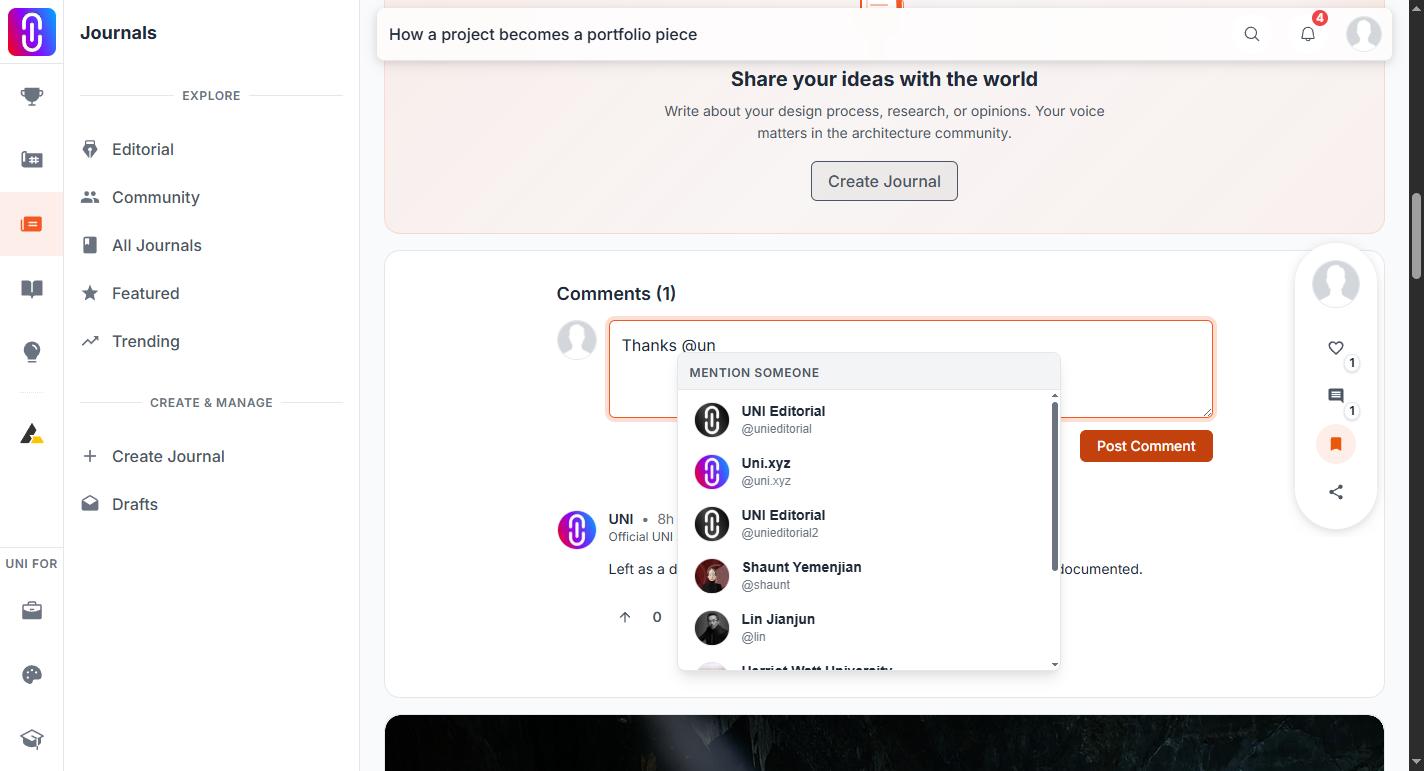
The picker is part of the comment box, and only the comment box. You get it on projects, journals, publications, competition discussions and course lessons. Direct messages have no mention support, so an @ typed into a message is ordinary text.
Two rules decide whether a mention is recorded at all:
- Type @ followed by at least two more characters, then choose the member from the list that appears. Only a name chosen from that list is recorded.
- A name you type out by hand is not a mention. It still renders as a link to that profile once the comment is posted, which is why a hand-typed name and a picked name look identical afterwards. One of them was recorded and one was not.
Any member can be mentioned. You do not have to follow them, and they do not have to follow you.
Mentions are fixed at the moment you post
Editing works too. Add someone while editing and they are notified then; take someone out and they stop being mentioned, though a notification they have already received is not withdrawn. Someone already mentioned is not notified twice when you edit for another reason.
What a mention does do
- The name becomes a link to that member's profile.
- The comment is recorded against them and appears in the mentions on their profile activity.
Mentioning yourself does nothing, which is deliberate.
What actually reaches someone
A mention is the direct way to get someone's attention. These also notify:
- Reply to their comment. The author of the comment you replied to is notified.
- Comment on their project. Everyone on the project team is notified and emailed.
- Message them. See Direct messages.
Naming the person in the body of your comment is still worth doing, because they will see it if they open the thread. Treat it as addressing them, not as summoning them.