Two toggles on the Render and Stage pages decide what your image costs: Model, which is Light or Pro, and Output Quality, which is SD, HD or 4K. Between them they produce three prices and nothing else on the page changes what you pay.
| Model | Quality | Credits |
|---|---|---|
| Light | SD, HD or 4K | 1 |
| Pro | SD or HD | 3 |
| Pro | 4K | 5 |
The figure for the settings you have chosen is printed beside the Generate button, next to your balance, before you commit to anything.
Light is a different model, not a lower setting of the same one
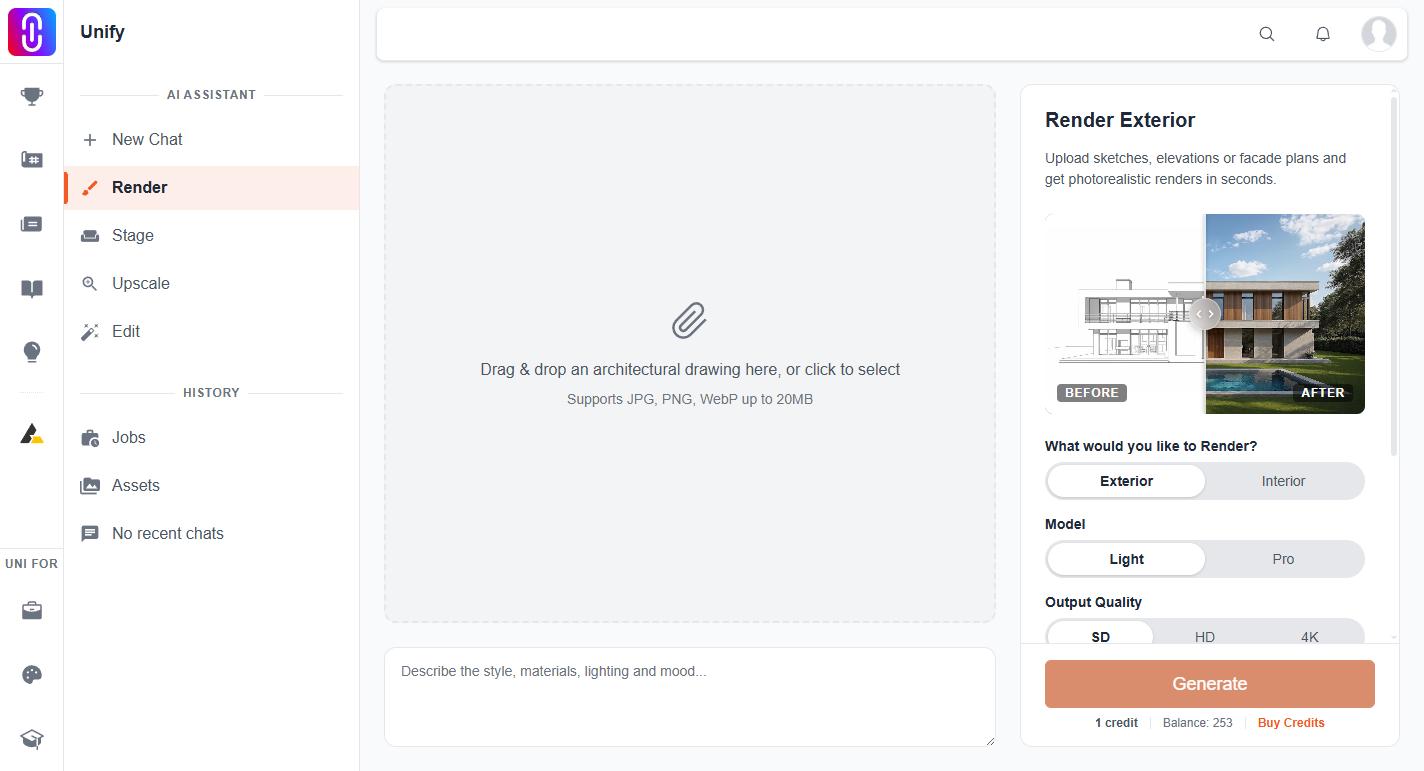
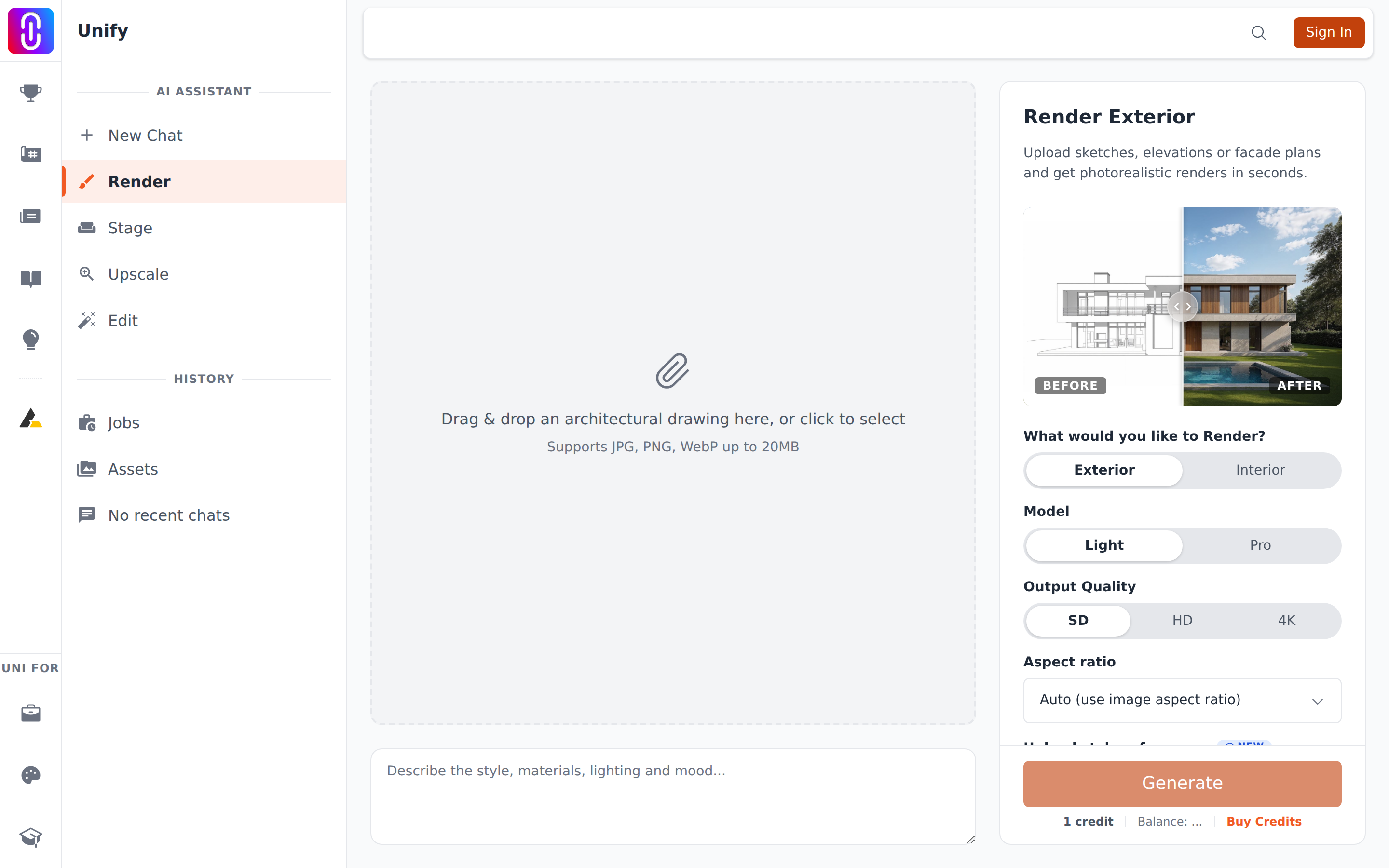
Light and Pro are two separate image models. Light is quicker and cheaper and does well on straightforward transformations: a clean massing model turned into a photograph, a simple interior relit. Pro holds detail and material better and is the one to use when the source is a rough sketch, when the scene is complicated, or when the result is going in front of a client.
The practical difference is not resolution. It is how faithfully the model reads your drawing and how convincingly it renders materials.
Quality is the output resolution, and only Pro uses it
On Pro, SD produces roughly a 1K image, HD roughly 2K and 4K roughly 4K. Light always produces an image of about 1K, whichever quality is selected, so choosing HD or 4K with Light does not give you a larger image. If you need a bigger render, choose Pro.
Light costs one credit at any quality. The price only moves with quality on Pro, and only at the top step: Pro at SD and Pro at HD both cost 3, and 4K costs 5.
Aspect ratio does not change the price
The aspect ratio dropdown is separate and free. Leaving it on Auto keeps the proportions of the image you uploaded, which is usually what you want for a render of a specific drawing. Choosing 16:9, 4:3, 1:1, 9:16 or 3:2 reframes the output to that shape.
The Stage page has no aspect ratio choice at all and always uses Auto. See Virtual Staging.
What none of this changes
Credits are taken when the job is queued, before the image is generated. If the render fails they are returned automatically, at every model and quality setting, so a failed 4K Pro render costs you nothing. A render that completes is charged even if you do not like the result, because that is a finished job rather than a failure.
And before you set anything: the same work asked of the assistant in chat is free for your first five images each day, at the best model and any resolution. The Render and Stage pages never look at that allowance. See renders in chat are free each day, the tool pages are not.